

Table of Contents
- Introduction: Decoding the Colors of Amazon SEO Success
- What Are Coverage Indicators?
- The Color Guide: Green, Yellow, and Blank Explained
- Where Green Matters Most: Prioritizing for the A10 Algorithm
- Why 100% Green Backfires: The Danger of Keyword Stuffing
- A Practical Workflow for Optimal Coverage
- Frequently Asked Questions (FAQ)
- Conclusion: Use Indicators as a Guide, Not a Rule
⚡ TL;DR
- Coverage indicators are color-coded signals in the Keywords.am TFSD editor showing how keywords appear in your Amazon listing
- Green = exact phrase match (highest value); Yellow/Orange = all words present but not in exact order; Blank = missing words
- Focus green coverage on your Title and first bullet point only – these carry the most ranking weight with Amazon’s A10 algorithm
- Yellow coverage is perfectly fine for secondary keywords in bullets 2-5 and description – Amazon still indexes these terms
- Never aim for 100% green coverage – keyword stuffing destroys readability and can get your listing suppressed
- The winning formula: optimize for the algorithm while writing naturally for human shoppers
Here’s the deal: coverage indicators? They’re those color signals in the Keywords.am TFSD editor. They show you how your keywords show up on your Amazon listing. Green is an exact match, the best. Yellow or orange means all the words are there, but not quite in order. Blank means you’re missing words.
But, where does that green *really* matter?
Focus on that green in your Title and the first bullet. It’s important. We noticed they seem to carry more weight with Amazon’s A10 algorithm. Yellow coverage is just fine for those other keywords in bullets 2 through 5, plus the description. The reality is Amazon still indexes them.
And here’s the thing: never go for 100% green. Keyword stuffing? Bad. It destroys readability, and it can even get your listing suppressed. You don’t want that. The winning formula? It’s all about optimizing for the algorithm while writing naturally for shoppers. You’ll see it’s not that hard.
Introduction: Decoding the Colors of Amazon SEO Success
Coverage indicators? Here’s the deal: they’re those visual things in an optimization tool that show you right away where your keywords are in your product listing. It’s a simple system. Honestly, they turn a hard thing into something easy. These coverage indicators are like a report card… for your Amazon listing optimization, of course! They don’t just show if a keyword’s there. They show how well it fits.
Understanding coverage indicators is important. I’ve found it really helps your rank on Amazon’s A10 search algorithm. It really does. Good keyword placement changes things. Indexing matters! And so does your visibility. But most importantly, your sales. This article? It’ll explain the coverage indicators in Keywords.am. You’ll see what green, yellow, and orange mean. What they’re telling you about your listing. It’s pretty straight forward, you’ll see.
What Are Coverage Indicators?
To really get what coverage indicators *are*, you gotta get the TFSD framework. It’s pretty important stuff. Honestly, it’s how Amazon listing optimization actually works. The Keywords.am editor? It’s built on *that* idea. We break down a listing. It’s into key spots. Title, Features (bullet points), Subject Matter (backend keywords), and Description. I’ve found the TFSD editor gives you columns. One for each of those. This means you see your keywords and your listing side by side.
Coverage indicators? They’re those color signals. You’ll see them in the columns. They’re by your keywords. And as you write or tweak your listing in the editor, they update. It’s automatic, you see. Instant feedback is *really* nice.
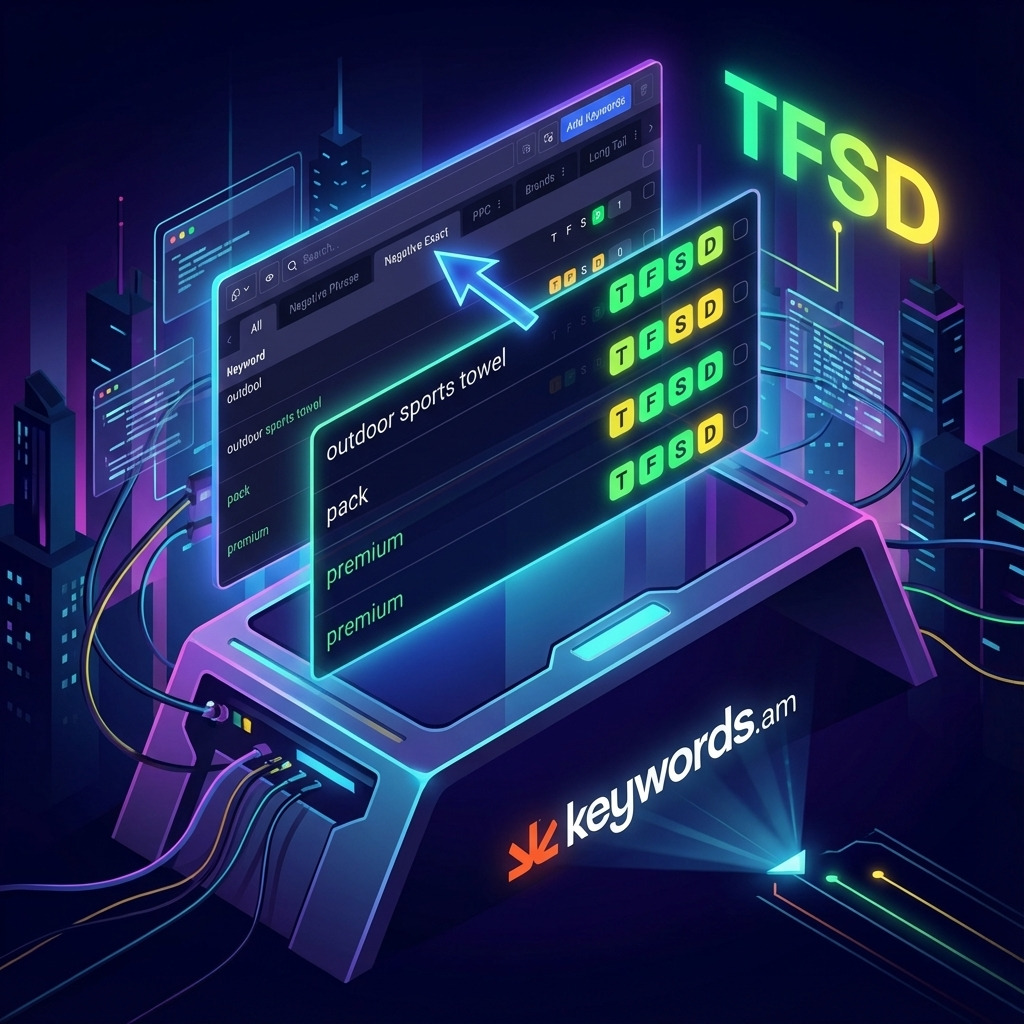
Here’s the deal: now you don’t have to check your title or bullets for “large capacity water bottle” yourself. The tool does it for you. You get a color. It shows how well you used it.
But, it’s actually more than *that*. And the reality is, this is a good thing, honestly. Visual feedback is just so important for efficient work. Sellers see, really fast, which keywords are perfectly used. Some are partially covered. Some are totally missing. Look, it’s a guide, right? It helps you put keywords where they matter most. That’s part of the TFSD Framework. It’s how things should be, I think.
The Color Guide: Green, Yellow, and Blank Explained
Honestly, coverage indicators are powerful because they’re easy to understand. Each color means something different. You can quickly check your listing’s keywords this way.
- Green (Exact Match): Green means you’ve got a perfect match. A green light is the sign of an exact match. The keyword is right there. The keyphrase in your list shows up in that part of your listing exactly as you typed it. The words are in the same order, too. For example, if your target keyword is “bamboo cutting board,” you’ll only get a green signal if the phrase “bamboo cutting board” is in the text. That’s it.
- Yellow/Orange (Broad Match/Words Present): Yellow or orange means all the words are there. Here’s the deal: all the separate words from your keyword phrase are in that section. But they’re not in the right order. Or maybe other words separate them. For instance, say your keyword is “bamboo cutting board.” Your text might say, “This large cutting board is made from 100% organic bamboo.” All the words are there! So, you get a yellow light. It’s still helpful. Amazon’s algorithm is smart enough to connect those terms. I’ve found that to be true. The orange color? It’s just a brighter yellow to grab your attention. It means the same thing, though.
- Blank (Missing): A blank indicator means something’s missing. If there’s no color, one of the words from your keyphrase is gone. It’s not there at all. It means you need to fix the copy. You need to add the missing word. But only if it’s a really important keyword. We noticed this a lot using Amazon Brand Analytics.
Where Green Matters Most: Prioritizing for the A10 Algorithm
Not every text box in your Amazon listing has the same weight. The A10 algorithm really cares about some sections more than others when it decides search ranking. So don’t try to make everything green.
Instead, be precise. Focus your exact-match efforts on the spots that’ll give you the best results. The top two most important fields for ranking? That’s easy. It’s the Title and the first Feature bullet point, no question. These sections are your A-list space.
Amazon’s algorithm really pores over these areas to get what your product is. For this reason, your number one, highest-traffic primary keyword must have a green, exact-match indicator in your Title and that first bullet. It’s gotta be there. This sends Amazon the strongest signal possible: your product is spot-on for that search term. Here’s the deal, it’s important.
But for the other fields—bullets 2 through 5, plus the product description—a looser strategy is fine. And, honestly, I think it’s better. For your secondary and long-tail keywords, getting yellow or orange coverage is enough. We noticed these fields are great for catching a wider range of search queries and for winning over shoppers with awesome, benefit-focused text. Trying to force exact matches here? You’ll see it often leads to weird phrasing that might scare away customers. And nobody wants that!
Why 100% Green Backfires: The Danger of Keyword Stuffing
A mistake a lot of new sellers make with tools is chasing that “perfect” score. They think a screen full of green means they’ve won. But honestly? This is a big mistake.
Here’s the deal: aiming for 100% green is almost guaranteed to hurt your listing.
Keyword stuffing is loading your product listing with keywords hoping to trick the search rankings.
Keyword stuffing is loading a product listing with keywords, trying to get the better of the search rankings. The result? Text that is robotic and makes no sense. It won’t win any buyers over either. Instead of writing “This large cutting board is made from 100% organic bamboo,” a keyword-stuffed version might read: “Bamboo cutting board large wood cutting board for kitchen is the best bamboo cutting board.” Yeah, it gets some exact matches, but it kills readability and any trust. It’s just bad.
Amazon’s algorithm? It’s designed to spot and punish this stuff. Listings that look too “perfect” can get buried in the search results. And that defeats the purpose. But, even if you don’t get suppressed, you still lose the human touch. Shoppers make choices based on how they feel and clear advantages, not a mess of search terms. Remember this: yellow coverage still gets you indexed. The A10 algorithm is smart enough to know that “large bamboo board for cutting” relates to a search for “bamboo cutting board.” The goal is balance. I’ve found it’s about writing for people while also thinking about the algorithm. It can be tough, I know.
A Practical Workflow for Optimal Coverage
Getting the coverage just right? It needs a plan.
Here’s the deal: a step-by-step process to help your listing be great.
- Prioritize Your Keywords: Before writing, what’s your goal? You need to know. Use a good Amazon keyword research tool. Find one main keyword (many searches, relevant) and secondary keywords that are pretty important, too.
- Write Your Title for Green: The title needs to be clear and attention-grabbing. Include the main keyword exactly. That’s your first big win.
- Write Feature 1 for Green: Your first bullet point should be about a main benefit. And just like the title, include that main keyword exactly. You’ve got that keyword in the places that matter most.
- Write Bullets 2-5 and Description for Yellow: Now, think about readability and how convincing it is. Weave your secondary keywords into the other bullet points and the description. Don’t force it. Let it sound natural! You’ll want yellow or orange coverage here.
- Use the ‘Eye’ Icon: In the Keywords.am editor, you’ll see an ‘Eye’ icon next to each keyword. Click it! It shows where the keyword appears in your text. It’s a quick way to check the keyword’s placement and frequency.
- Read It Aloud: This is really important, I’ve found. Read the listing aloud. Does it sound natural? Does it convince you? Does it show off your product? But if it sounds weird, fix it ’til it flows.
Frequently Asked Questions (FAQ)
1. Does yellow coverage rank as well as green?
Green is way better. But for other keywords? Yellow coverage is effective for indexing. It doesn’t bring readability problems. It really doesn’t.
2. What is the difference between yellow and orange?
There’s no real difference. They both show the phrase’s words are there. Orange is just brighter.
3. Can my main keyword be yellow in the title?
It *can* be! But I wouldn’t do it. You’re probably losing out. The title carries weight. Green shows Amazon you’re relevant.
4. How many keywords should I try to get green coverage for?
One’s enough. It should be green in the title and first bullet. Other keywords? Aim for yellow coverage.
5. Do coverage indicators apply to backend search terms?
Yes, they do apply. Same colors. Backend terms aren’t seen by people. But they’re seen by the computer! You’ve got more room there. List words and phrases.
6. What if I can’t fit my exact-match primary keyword in the title naturally?
Here’s the deal, that probably means your main keyword is too clunky. Break it up! Or find something shorter that still gets searches. A readable title always comes first, you’ll see.
7. Does this optimization strategy apply to all product categories on Amazon?
Yes, it does apply to all categories. In my experience, a main keyword in the title and feature 1 works. And weaving in others too.
8. How often should I re-evaluate my keyword coverage?
Check your keywords and listing every 3-6 months. Search trends change. Your competitors update listings, honestly. A check-up keeps you in it.
Conclusion: Use Indicators as a Guide, Not a Rule
Coverage indicators? They’re not the boss of you! Think of them as just a helpful tool. They give you data to help you succeed on Amazon. Here’s the deal: if you understand what those green, yellow, and orange lights are telling you, you can stop guessing. You can actually make a smart SEO strategy.
The reality is, you don’t need ALL green checkmarks. Instead, you want a product listing that works well. It needs to be balanced.
It should be built for Amazon’s A10 algorithm, but also convince real people to buy. That’s the goal, honestly.
First things first: look at your most important product listing. See what’s up. Check your main keyword. Is it green in your Title and first Feature bullet point? It is? Amazing! But if not, fix it! And, this single check could be the biggest difference you make this month.




