
Grade your listing in 5 minutes. Fix what’s costing you sales.
Amazon Ads Verified Partner | 5.0/5 rating (19 reviews) | 21 marketplaces supported | Verified Amazon Selling Partner
What Does a Complete Amazon Listing Optimization Checklist Cover?
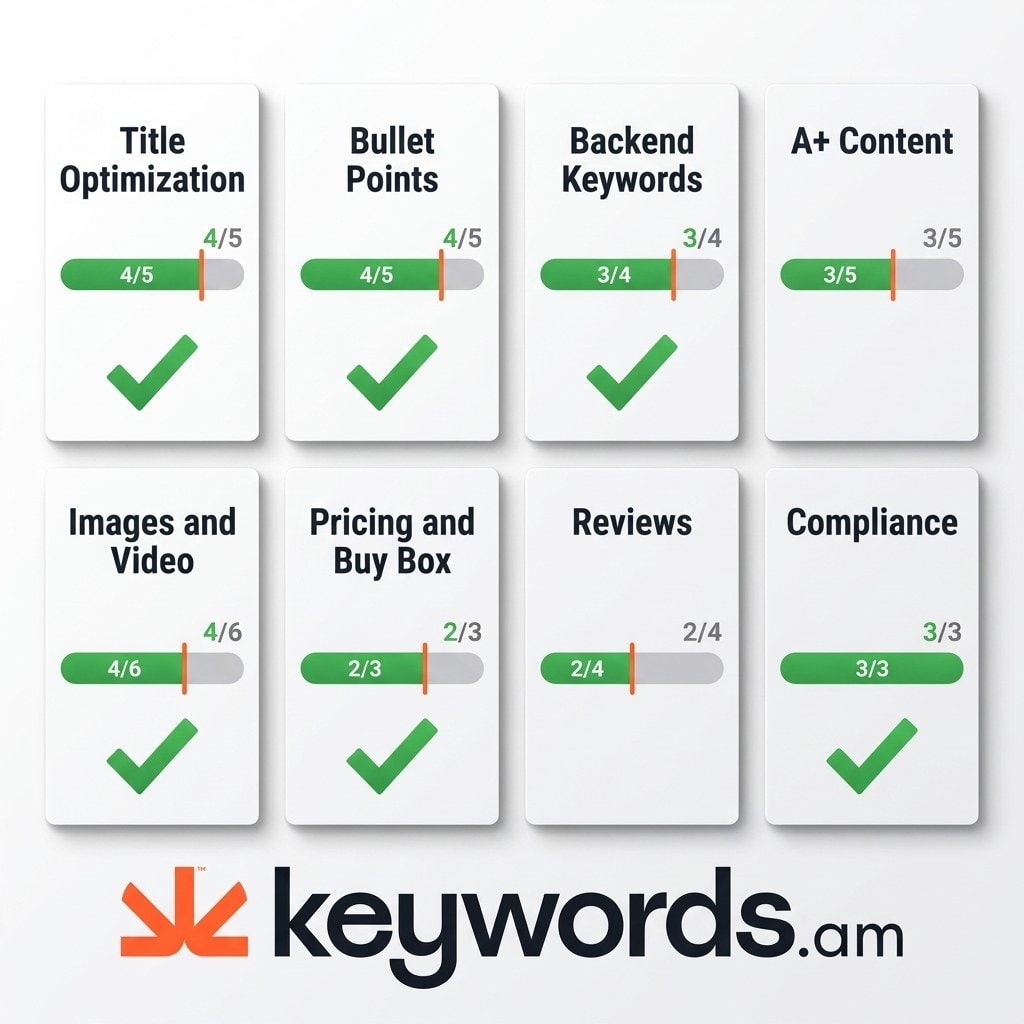
A complete amazon listing optimization checklist covers eight areas: title, bullet points, backend keywords, A+ content, images, pricing, reviews, and compliance.
Category |
Key Items |
Pass Threshold |
|---|---|---|
Title |
Keyword in first 5 words, under 200 chars, mobile-friendly |
4/5 items |
Bullet Points |
Benefits-first, keyword distributed, under 500 chars each |
4/5 items |
Backend Keywords |
Under 250 bytes, no commas, no duplicates |
3/4 items |
A+ Content |
EBC modules used, comparison chart, alt text |
3/5 items |
Images & Video |
7+ images, white background main, lifestyle shots, video |
4/6 items |
Pricing & Buy Box |
Competitive price, FBA eligible, coupon strategy |
2/3 items |
Reviews |
Review velocity, Request a Review, Vine enrollment |
2/4 items |
Compliance |
Category requirements met, no suppression triggers |
3/3 items |
See how each section scores (run a free listing audit).
Why Does Your Amazon Product Title Need a Checklist?
Amazon’s A10 algorithm weighs title keywords more than any other listing field. A structured amazon listing checklist catches the mistakes that cost rankings.
- Primary keyword appears in the first 5 words
- Title is under 200 characters (category-dependent)
- Title reads naturally on mobile (first 80 characters make sense standalone)
- Brand name is present
- No ALL CAPS words or promotional language (“Best Seller”, “Free Shipping”)
An effective Amazon product title optimization strategy demands discipline. Check your title score (run a free audit).
How Should Amazon Bullet Points Be Structured?
Each bullet point should lead with a benefit, include a relevant keyword, and stay under 500 characters. Scannable structure beats keyword-stuffed walls.
- Each bullet leads with a customer benefit, not a feature spec
- Character count stays under 500 per bullet (200 for mobile-first categories)
- Keywords are distributed across all 5 bullets, not concentrated in one
- Bullets are scannable with capitalized lead-ins
- No HTML tags or special characters that break mobile rendering
Read the complete Amazon bullet points guide for category-specific formatting details.
What Are the Amazon Backend Keyword Requirements?
Amazon’s backend Search Terms field has a 250-byte limit. Every wasted byte from commas, duplicates, or repeated words costs indexing opportunities.
- Total bytes are under 250 (not 250 characters, multibyte characters count double)
- No commas or semicolons separating terms
- No words already in title or bullets (deduplicated)
- Misspellings and common typos of top keywords included
- No brand names or ASINs (violates Amazon TOS)
The Keywords.am Swiss Army Knife feature fills backend Search Terms with only what is missing. It creates clean and deduplicated text that is ready to publish. Learn more in this Amazon backend keywords deep dive.
Does A+ Content Belong on an Amazon Listing Optimization Checklist?
A+ Content (Enhanced Brand Content) does not get indexed for search. But it increases conversion rate by 3-10% according to Amazon’s own data.
- At least 5 A+ modules utilized (comparison chart is highest-converting)
- All images have descriptive alt text with relevant keywords
- Comparison chart positions product against 2-3 competitors
- Brand story module tells an origin narrative
- No duplicate content from bullet points
Official Amazon Ads documentation confirms the conversion lift from rich media. For layout ideas, check the Amazon A+ content optimization guide.
How Many Images Should an Amazon Listing Have?
Amazon allows 9 image slots. Listings with 7 or more images convert at a measurably higher rate than those with fewer than 5.
- 7-9 images uploaded (fill every available slot)
- Main image has pure white background (RGB 255,255,255)
- At least 2 lifestyle images showing product in use
- At least 1 infographic with key specs and dimensions
- Product video is 30-60 seconds with no external URLs
- All images are at least 1000×1000 pixels for zoom functionality
Why Does Pricing Belong on an Amazon Listing Checklist?
The Buy Box controls 82% of Amazon sales. Pricing, fulfillment method, and seller metrics determine whether a listing wins or loses that placement.
- Price is competitive within the category (check with Amazon’s Automate Pricing)
- Product is FBA-eligible (FBA sellers win the Buy Box more often)
- Active coupon or Lightning Deal strategy for visibility
Review pricing variables using the Amazon Buy Box guide to protect margins.
What Review Strategy Should an Amazon FBA Listing Checklist Include?
Review velocity matters more than total count. Amazon’s algorithm favors listings that consistently receive new reviews over those with a high but stale count.
- Request a Review button used within 4-30 day purchase window
- Negative reviews get professional, solution-oriented responses
- Amazon Vine program enrollment for new products (under 30 reviews)
- Product insert encourages feedback without incentivizing (TOS-compliant)
The Amazon listing optimization ultimate guide covers review generation in greater depth.
What Causes Amazon Listing Suppression?
Amazon suppresses listings for category requirement violations, restricted content keywords, missing safety information, and image policy breaches. Prevention is cheaper than recovery.
- All category-specific required fields are complete
- No restricted or claims-based keywords in listing copy
- Product safety and compliance certifications uploaded where required
Consult official Seller Central listing requirements for updates. Review common Amazon listing suppression causes and fixes.
How Does the TFSD Framework Organize This Amazon Listing Optimization Checklist?
The TFSD framework structures optimization around Amazon’s four indexable fields: Title, Features (bullets), Search Terms (backend), and Description. Each field has different algorithmic weight.
Title carries the highest weight for ranking. Features rank second for keyword indexing. Search Terms capture overflow keywords that don’t fit naturally in copy. Description influences conversion but has lower keyword weight.
This structure makes Keywords.am different. The platform maps keyword coverage across all four fields in real time, showing exactly which keywords are missing where. Read the TFSD Framework deep dive to master this method.
Stop Guessing. Get a Free Amazon Listing Audit.
This amazon listing optimization checklist reveals exactly what to fix. The free ASIN audit tool exposes the real data behind it: keyword coverage gaps, indexing issues, and optimization scores in 60 seconds.
Kevin Mansoor, a 15-year Amazon Pro Seller, calls the platform “Better than competitors costing 4-5x more. Makes research and implementation smooth and easy.” User leafandloom notes that the software “Shows percentage of keywords used. Distribution throughout listing.”
Run Free ASIN Audit | See all features
Frequently Asked Questions
These are the most common questions sellers ask about Amazon listing optimization and this checklist.
A complete amazon product listing checklist covers title optimization, bullet point structure, backend keyword compliance, A+ content, images, pricing strategy, review management, and suppression prevention. Each section has specific pass/fail criteria tied to Amazon’s guidelines.
Audit listings quarterly at minimum, and immediately after any ranking drop, category change, or Amazon policy update. Seasonal products need monthly checks before peak selling periods.
Common suppression triggers include missing category-required fields, restricted keywords in titles or bullets, non-compliant images, and safety documentation gaps. The suppression guide covers the full list and fixes.
TFSD stands for Title, Features, Search Terms, and Description. These are the four fields Amazon indexes for search ranking. The TFSD framework weights each field by algorithmic importance and maps keyword coverage in real time.
Backend keyword changes typically index within 24-48 hours. Title and bullet point changes may take 15 minutes to 24 hours depending on the marketplace and catalog size.




