
Amazon gives brand owners the best search data available… but it lives in messy reports and spreadsheets. Keywords.am pulls it in automatically and turns it into clear priorities and practical actions.
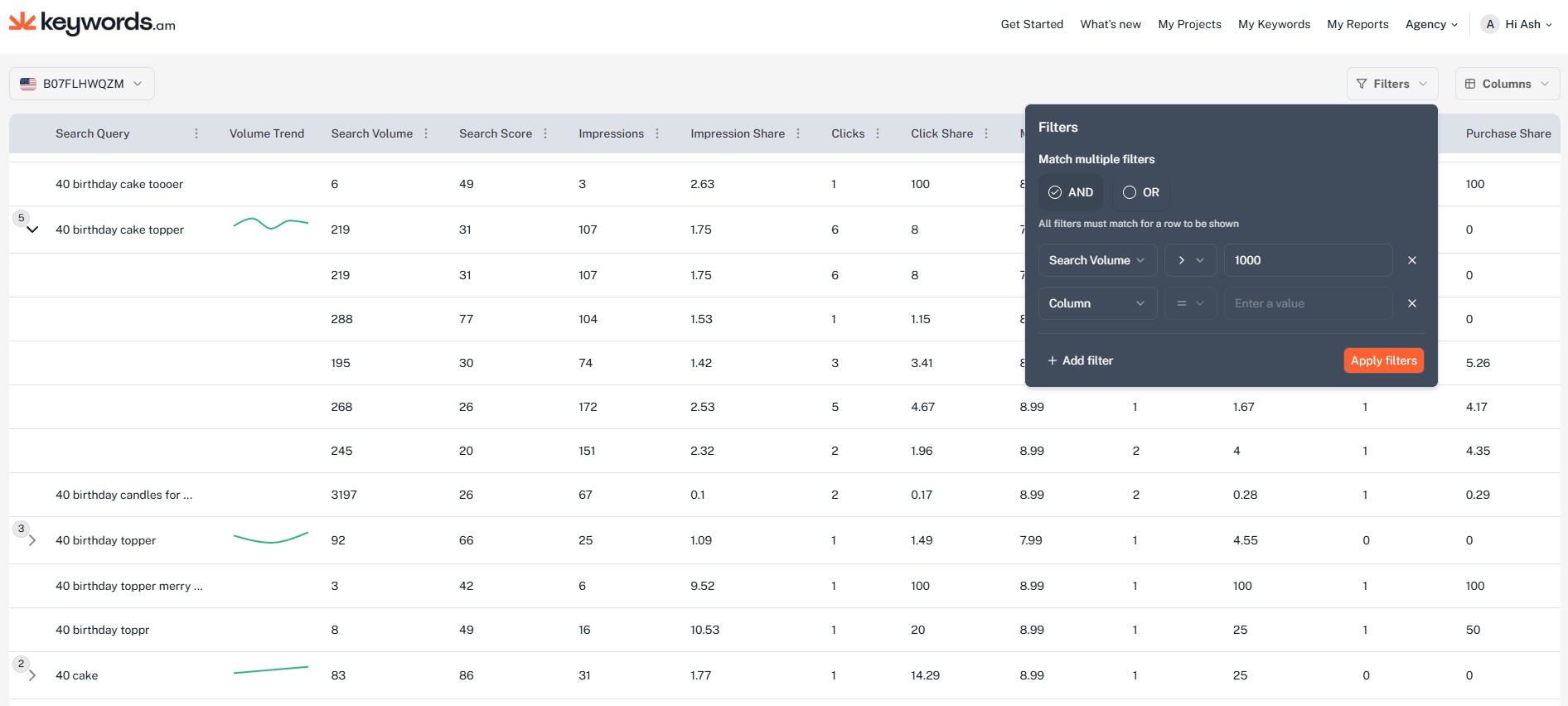
Stop guessing from keyword estimates
Most keyword tools are built on scraping and modeling. That can be useful, but it breaks when you are making decisions that impact real revenue.
Brand Analytics Search Query Performance is different. It is first party marketplace behavior… impressions, clicks, cart adds, and purchases.
Now it is inside Keywords.am.
What this integration unlocks
You get | Why it matters |
|---|---|
More accurate keywords | Driven by real Brand Registry search behavior, not guesswork. |
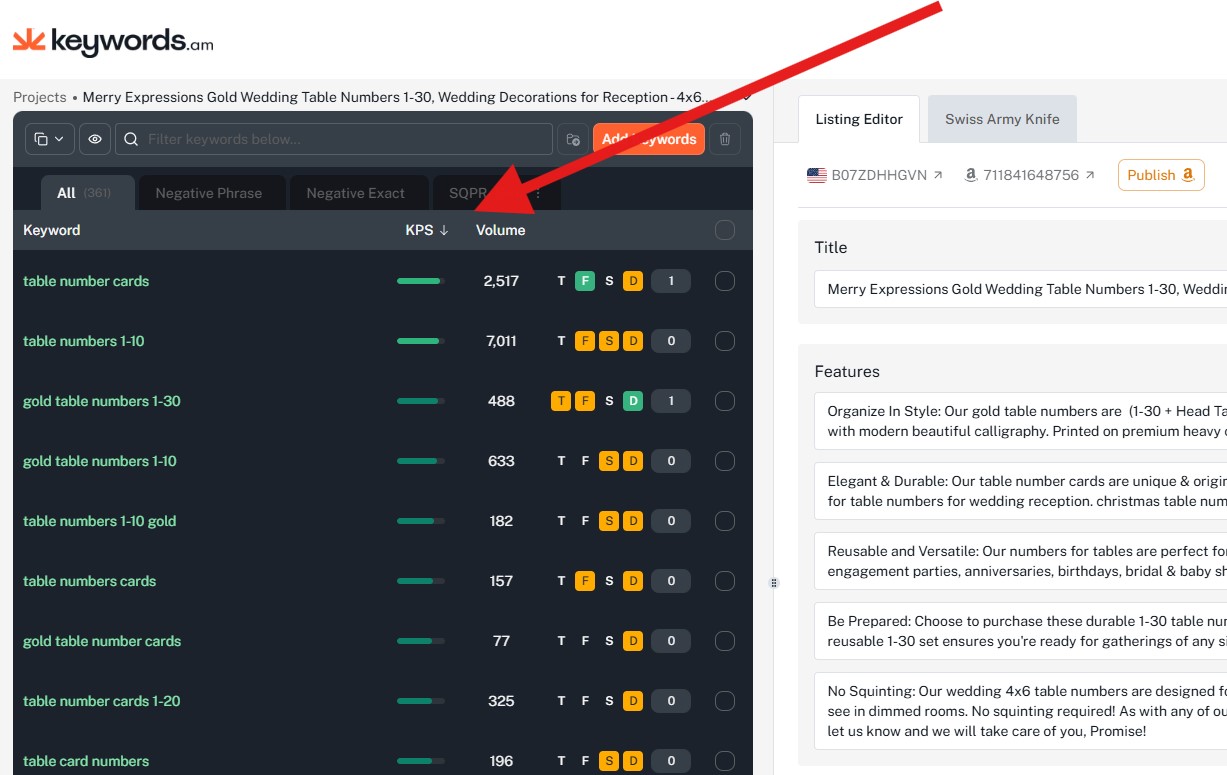
KPS (0 to 100) | A clear priority score so you know what to work on first. |
Annotations | Plain English interpretation of the pattern and what to do next. |
Action recommendations | Practical listing and ads moves based on what the data is really saying. |
KPS: the shortest path to higher impact keywords
KPS stands for Keywords.am Priority Score. It is a 0 to 100 score designed to answer one question:
“Which keywords should I focus on first to actually move the needle?”
KPS level | What it usually means | How to use it |
|---|---|---|
High KPS | High impact potential for your ASIN | Use premium space if it matches product truth. Reinforce in images. |
Low KPS | Real keyword, lower priority right now | Keep covered if relevant, but do not sacrifice title or top bullets. |
Annotations: we translate the data into actions
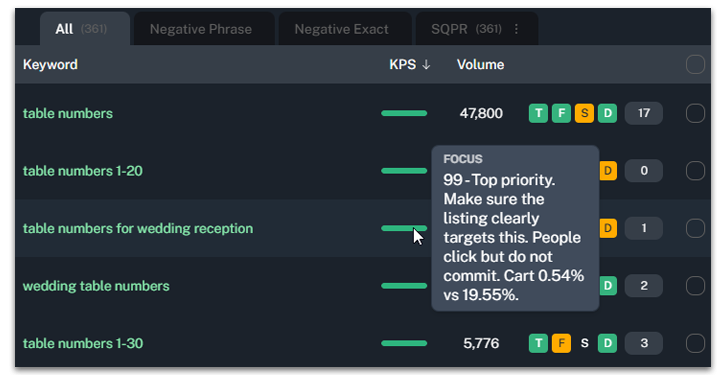
Amazon reports are rich with numbers but they do not tell you what to do. Annotations fix that.
For each keyword, we interpret patterns across demand, visibility, clicks, cart adds, and purchases and turn it into a simple label with a next step.
Annotation | What it usually means | What to do next |
|---|---|---|
Underexposed | Demand exists but Amazon is not showing you enough | Add exact phrase in title or top bullets and reinforce with images. |
Shown but skipped | Visibility is fine but shoppers do not click | Fix hero image and title clarity for the shopper expectation. |
Clicks but confusion | Clicks happen but cart adds lag | Clarify offer: what is included, size, quantity, variants, compatibility. |
Cart adds but not closing | Shoppers add to cart but purchases lag | Improve trust and close: price framing, reviews, objections, proof. |
How to turn it on translate the data into actions
To generate KPS and import the most accurate keyword data, connect your brand and enable keyword syncing.
Timing note: importing keyword data from Amazon can take 6 to 12 hours. If you already have a brand connected.
- Go to Brand Settings
- Click Edit Brand
- Open Amazon Connection
- Open Connection Settings
- Enable “Sync brand keywords”
- Toggle “Sync brand keywords” off then on to start a fresh sync
Then import your Amazon catalog
- Go to Import your Amazon catalog
- When importing an Amazon SKU, enable “Identify Keywords Insight“
Once keywords are imported, we will email you when your project keywords are updated.
Start with the keywords that matter first
Amazon gave you the data. Keywords.am turns it into a priority list and a set of actions. That is how you move faster with confidence.




