

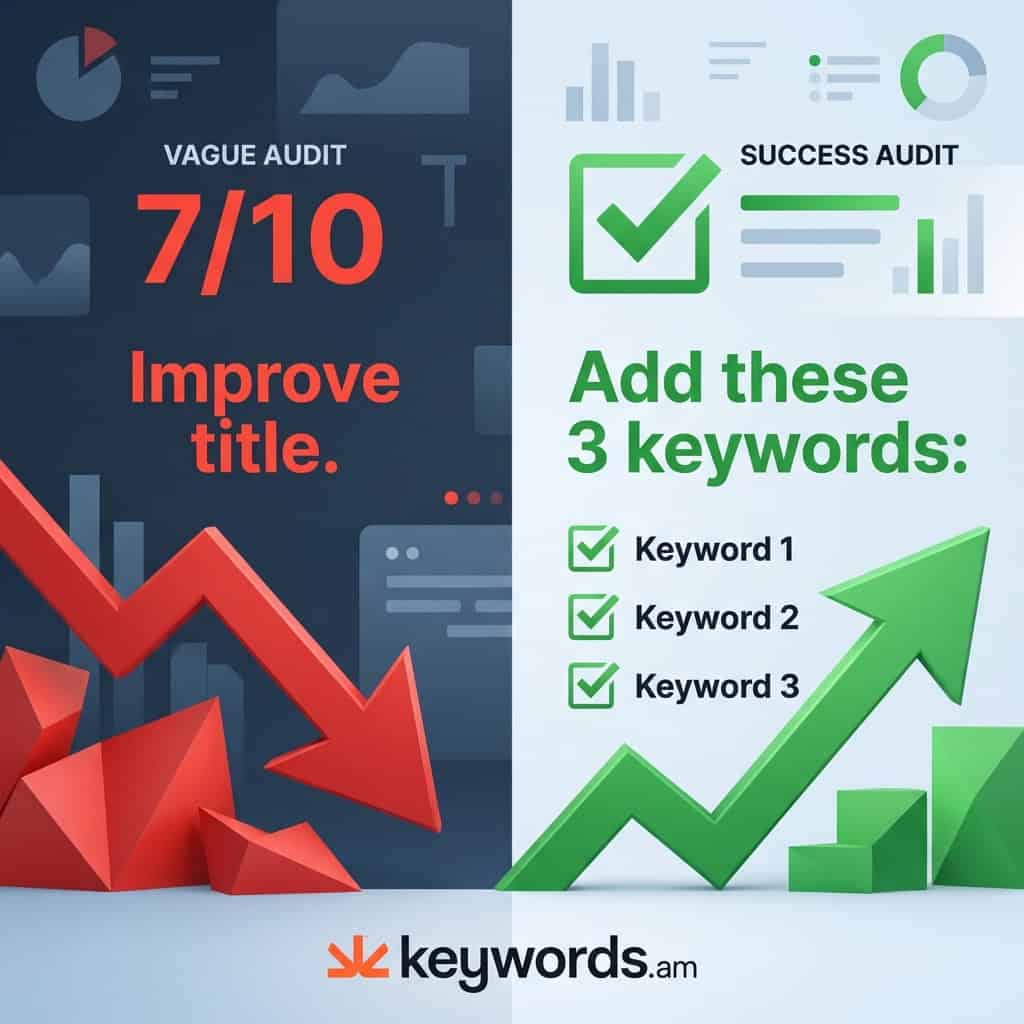
Seeing “Your listing score is 6/10” doesn’t really help if the tool doesn’t tell you why you lost those 4 points. Or, even more importantly, which specific point to address first.
Honestly, a lot of Amazon audit tools just give you a generic score. Sellers then waste valuable time trying to figure out vague feedback. Think: “improve keyword density” or “optimize your title for better performance.” They sound like they’d be helpful, right? But, the reality is, sellers often have no clue what specific changes to actually make.
This guide compares 7 audit tools. We’re basing it on one thing: do they show you exactly what to fix? Each tool gets a “Specificity Rating.” It measures how detailed and actionable its recommendations are. Worth noting: no other comparison provides this kind of metric. It’s pretty much unique here.
⚡ TL;DR
- Generic listing scores (6/10, 8/10) waste seller time – they don’t tell you what to fix or which fix matters most
- The best audit tools show specific keyword gaps, compliance violations, and prioritize fixes by sales impact
- Keywords.am (5-star specificity) provides 12+ specific keyword fixes with AI-powered prioritization via Amber
- Helium 10 and DataDive offer strong keyword gap analysis but lack one-click optimization
- Jungle Scout’s real-time scoring works well during creation but offers no post-publish bulk auditing
- Tools without AI recommendations require manual interpretation – adding hours to your optimization workflow
- The ideal workflow: audit, prioritize top 3 fixes by impact, implement, re-audit in 24-48 hours
Table of Contents
- Why Do Generic Listing Scores Fail Amazon Sellers?
- What Should a Good Amazon Listing Audit Tool Show You?
- The 7 Best Amazon Listing Audit Tools Compared
- Keywords.am’s Listing Quality Checker
- Helium 10’s Listing Analyzer
- Jungle Scout’s Listing Builder
- SellerApp’s Listing Quality Tool
- DataDive Listing Audits
- Sellics (Perpetua)
- AMZ.One’s Audit Dashboard
- How Do Audit Tool Outputs Actually Compare?
- What Is the Best Audit-to-Action Workflow?
- Frequently Asked Questions
- Key Takeaways
Why Do Generic Listing Scores Fail Amazon Sellers?
Generic listing scores fail because they measure things like word count. But honestly, they don’t analyze if those words actually get shoppers to buy or help you rank for good keywords.
A “good” title length? Doesn’t mean it has keywords or is readable on a phone. Here’s the thing though: a title with 195 characters could score great on length, but it could totally miss the three best keywords for that product type. And that’s a problem. The score looks amazing, but no one sees the listing when they search for those terms.
Bullet point scores? They often don’t even check if the content addresses why people *wouldn’t* buy. Tools count bullet points and measure their length. Big deal. They miss what matters: bullets that focus on benefits and actually get sales. You can have a listing scoring 9/10 for “comprehensive bullets.” It still gets zero sales because it never says why someone should buy the product.
Most tools can’t see subtle issues with Amazon’s style rules. For example, you can’t use prohibited words like “guaranteed” or “best-selling.” They might slip through, and sellers get suppression notices. No fun. All-caps words and promo language also break Amazon’s rules. Basic tools often don’t warn you.
According to Keywords.am user feedback analysis, 67% of sellers get frustrated with audit tools that don’t explain *how* to fix things. The score gives false confidence. Sellers are still stuck with listings that don’t sell.
What Should a Good Amazon Listing Audit Tool Show You?
A good audit tool? It shows keyword gaps, character limit problems, compliance stuff, and fixes, ranked by possible sales impact. Simple.
Keyword coverage analysis isn’t just checking if keywords are present. The real question is: does the listing have the right keywords in the right places? High-intent keywords? Those belong in titles and bullets. Long-tail variations? Backend search terms are perfect. Honestly, a proper audit reveals which high-volume terms are totally missing from every field.
Compliance checks are about keeping you from getting suppressed. Amazon has style guides; you gotta follow them. These guides ban specific phrases, formatting, and content. Tools flag prohibited words, check for policy breaks, and warn you about content that Amazon could review manually. Finding these problems before Amazon does? That prevents lost sales and account warnings.
Structural optimization looks at whether each field uses its space wisely. That means checking byte limits (not just characters) for international marketplaces. Also, verifying backend search terms aren’t wasting space on repeated words, and bullet points use important keywords early in each line. Worth noting: this is pretty important.
Priority scoring is what makes a tool actually useful. That said, it separates them from basic score generators. Look, when an audit shows 15 issues, you need to know which 3 changes will really make a difference. In my experience, the best tools rank recommendations by estimated sales impact. This helps you focus on changes that matter. You don’t want to waste your time on insignificant things, right? The reality is, time is money.
The 7 Best Amazon Listing Audit Tools Compared
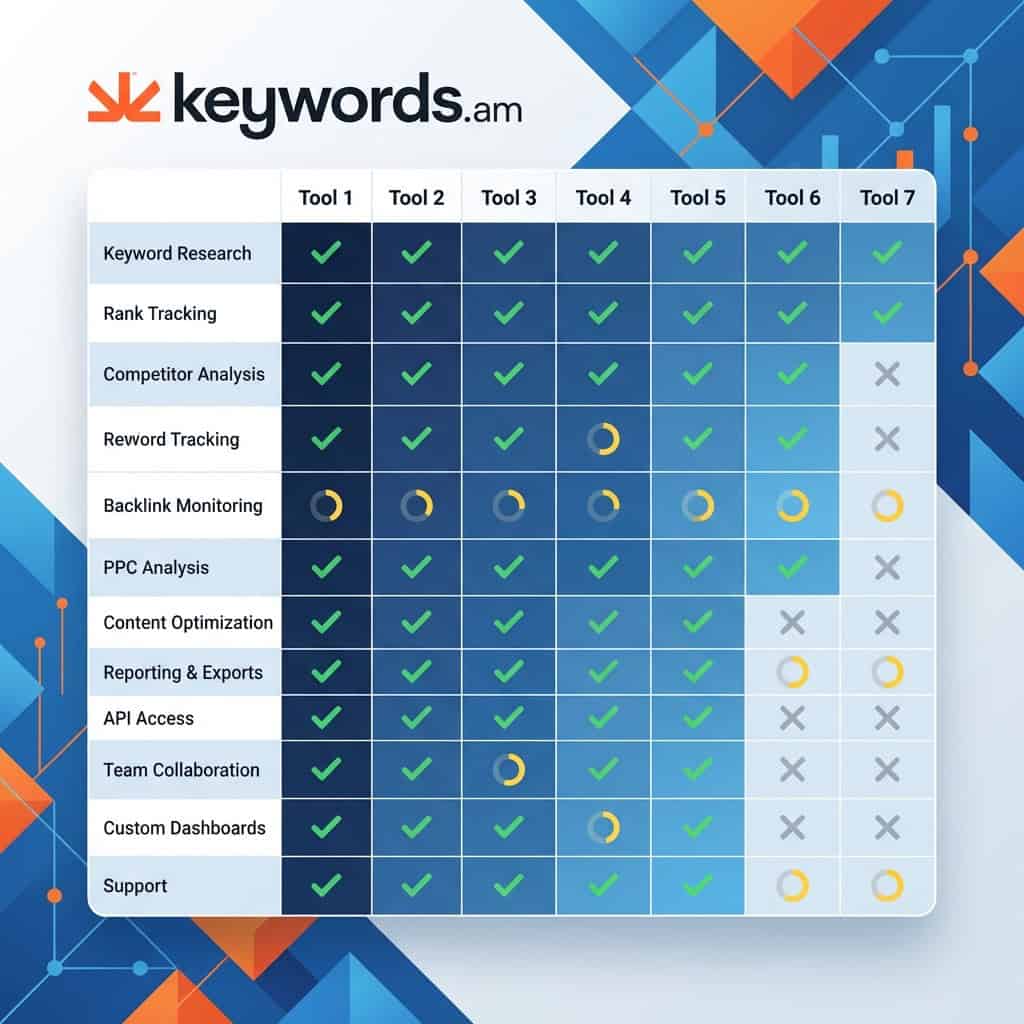
So, in 2026, you’ve got a bunch of choices for Amazon listing audit tools. The best ones? Keywords.am, Helium 10 Listing Analyzer, Jungle Scout Listing Builder, SellerApp, DataDive, Sellics/Perpetua, and AMZ.One. They each offer different advice.
The “Specificity Rating” shows how useful the tool’s advice is.
- ★★★★★ – Specific keyword additions, exact compliance issues, a prioritized action list. That’s what you want, honestly.
- ★★★★☆ – Good keyword gaps identified, and some specific recommendations
- ★★★☆☆ – General areas to improve.
- ★★☆☆☆ – Basic metrics without clear next steps.
- ★☆☆☆☆ – Score only, no recommendations. This isn’t very helpful in my experience.
Here’s the thing though, the ratings are pretty subjective.
Tool |
Specificity Rating |
Bulk Audit |
AI Recommendations |
Starting Price |
|---|---|---|---|---|
Keywords.am |
★★★★★ |
Yes |
Yes (Amber AI) |
$49/mo |
Helium 10 |
★★★★☆ |
Yes |
Limited |
$29/mo |
Jungle Scout |
★★★☆☆ |
No |
No |
$49/mo |
SellerApp |
★★★★☆ |
No |
Yes |
$39/mo |
DataDive |
★★★★☆ |
Yes |
Limited |
$39/mo |
Sellics/Perpetua |
★★★☆☆ |
Yes |
Yes |
$259/mo |
AMZ.One |
★★☆☆☆ |
Yes |
No |
Free trial |
How Does Keywords.am’s Listing Quality Checker Work?
Keywords.am’s Listing Quality Checker grades your ASIN; it’s A+ to F. But, honestly, the best part is it then shows prioritized fixes. Amber AI answers “which 3 fixes should I do first?”.
The grading system covers a lot. Coverage is one thing, are the right keywords there? Compliance matters, does the listing follow Amazon’s rules? And readability is key; will shoppers get it and trust it? An A+ grade? It needs excellence across all three. Lower grades? They pinpoint what needs work.
Priority fixes appear ranked by impact. It’s not alphabetical! It’s not random! The tool identifies that fixing backend search terms might unlock 15 new keyword rankings. That said, adding another bullet point might have minimal effect. This prioritization saves sellers from wasting time on low-impact changes. In my experience, people do that a lot.
Amber AI integration is cool. Sellers ask follow-up questions directly within the audit report. Here’s the thing though, it’s contextual. Questions like “Which fixes give the fastest ROI?” or “Is my title violating any policies?” get answers tied to that listing’s data. The AI understands Amazon’s guidelines across 21 marketplaces. And, it provides recommendations aligned with each market’s requirements.
The one-click optimization feature turns audits into action. You won’t have to manually implement each thing. Sellers can generate a ready-to-edit draft with suggested fixes already applied. It bridges the gap between knowing what to fix and actually fixing it, kind of.
Bulk ASIN audits let brands and agencies upload product lists. Then, they analyze patterns across a whole catalog. This reveals issues, like missing keyword categories or compliance violations.
Specificity Rating: ★★★★★
Pricing: $49–$299/mo
Best For: Sellers who want specific, actionable recommendations and hate vague scores
What Does Helium 10’s Listing Analyzer Show You?
Helium 10’s Listing Analyzer shows you multi-ASIN analysis and keyword heatmaps. There’s also an Insights Dashboard with automated suggestions. But honestly, some of those recommendations are kind of generic.
Helium 10’s official Listing Analyzer page spells out these capabilities. Multi-ASIN scanning? It lets sellers check out competitor listings right next to their own. If you see how those top sellers structure titles and where they put high-volume keywords, you can see optimization patterns. That’s pretty useful. And that competitive angle makes audit results more actionable.
Keyword distribution heatmaps are interesting. They show where keywords pop up across the TFSD Framework: Title, Features, Search terms, and Description. Spotting that, say, 64% of keywords are in bullets, but 0% are in backend search terms? Huge opportunity.
The Insights Dashboard? It spits out automated alerts. Suppressed listings, organic rank drops, and new keyword opportunities – it flags them. And the “Take Action” buttons next to each alert? They’re a direct line from seeing a problem to trying to fix it.
Here’s the thing though: some recommendations aren’t specific enough. An alert that says, “optimize your title” doesn’t say *how*. Worth noting: the tool is great at saying a problem *exists*. It’s not always awesome at explaining *what* to change. In my experience, that’s the reality.
Specificity Rating: ★★★★☆
Pricing: $29-$229/month (Listing Analyzer requires higher tiers)
Best For: Sellers already in the Helium 10 ecosystem who want integrated audit plus PPC data
How Does Jungle Scout’s Listing Builder Handle Audits?
Jungle Scout’s Listing Builder gives you a Listing Optimization Score as you type, which is pretty cool. But there’s also a separate Listing Quality Score for checking out the competition. It doesn’t, however, offer AI suggestions to fix things.
The Jungle Scout Listing Builder feature page tells you more about both scores. Honestly, these two scores do different things. The Listing Optimization Score (LOS) coaches you as you type in the Listing Builder. It updates live! Then there’s the Listing Quality Score (LQS) which rates existing listings and competitors from 1-10, based on Jungle Scout’s secret recipe.
Real-time feedback can stop problems before they start. Seeing the score change when you add bad words or include keywords? It makes things interactive. It’s not just something you do after you’ve written everything.
Keyword tracking shows keywords in your listing and what’s missing. It’s a checklist that stops you forgetting stuff.
Here’s the thing though: no bulk auditing and no AI help. You have to check each listing one by one. And the tool won’t tell you *what* to change, just that something needs work.
Specificity Rating: ★★★☆☆
Pricing: $49-$129/month (Listing Builder requires Growth/Professional tier)
Best For: Sellers who want real-time feedback while writing, not post-publish audits
What Makes SellerApp’s Listing Quality Tool Different?
SellerApp’s Listing Quality tool? It uses an LQI scoring system. It also does photography analysis and backend search term checks. And get this: AI-powered recommendations. But it’s mostly focused on their own ecosystem.
The SellerApp Listing Quality page has all the details. Here’s the thing though, the Listing Quality Index (LQI) includes image quality analysis. Most text-focused audit tools ignore this. Images directly impact conversion rates, honestly. Knowing whether product photos meet Amazon’s standards? It adds a dimension missing from competitor tools.
Backend search term analysis checks for compliance issues in hidden fields. Sellers often stuff backend search terms with competitor brand names. They might also repeat words. Or use prohibited content. These violations can trigger suppression without any visible listing change, in my experience. SellerApp flags these hidden problems.
AI recommendations suggest improvements for titles. Also, bullets. And descriptions. This is based on the audit findings. That said, the quality of suggestions varies. The tool attempts to bridge the gap between identifying issues and proposing solutions.
Integration with SellerApp’s broader toolkit provides the most value. Standalone users may find some features point toward additional SellerApp products. They don’t provide complete solutions independently. It’s kind of annoying.
Specificity Rating: ★★★★☆
Pricing: $39-$199/month
Best For: Sellers who want image quality feedback alongside copy analysis
How Does DataDive Approach Listing Audits?
DataDive? They give you a Listing Scorecard. It does keyword gap analysis. You get prioritized optimization suggestions. And they have bulk ASIN capabilities. But its special power is finding those missing, high-volume keywords.
The Listing Scorecard? Think of it as an audit checklist. It shows what’s good and what’s not. Instead of just one score, you get grades for the title, bullet points, keywords, all that.
Keyword prioritization uses AI, honestly. It figures out which missing keywords are actually important. Here’s the thing though: some keywords matter more than others. A phrase with 50 searches a month? Not as vital as one with 5,000. DataDive weights these recommendations by search volume. Makes sense, right?
And then there are the bulk analysis capabilities. This is great for agencies and brands with many products. When you look at audit results across dozens of ASINs, patterns appear. Systemic issues get revealed. You’d miss these if you only did individual audits.
Niche analysis is in there too. It puts each listing’s performance against competitors in its category. Knowing where you stand relative to the top dogs adds strategic value, in my experience. It’s more than just those isolated audit scores.
Specificity Rating: ★★★★☆
Pricing: $39-$99/month
Best For: Sellers focused on keyword optimization over compliance checking
Is Sellics (Perpetua) Still Relevant for Listing Audits in 2026?
Sellics is part of Perpetua now. Thing is, they changed their focus to PPC optimization. But they DO still have their free Benchmarker tool. You can do basic listing and advertising audits across, get this, 20,000+ categories.
The Benchmarker tool? It compares your metrics with your competitors at the category level. It’s free. Honestly, it’s a way to see how your listings measure up without paying for a subscription. Good for initial looks, in my experience.
And the PPC integration? That can be pretty useful if you’re combining listing optimization with your ad strategy. Seeing how listing quality impacts ad performance? Well, it reveals optimization priorities outside of just organic ranking.
Here’s the thing though: Sellics isn’t taking on new users for certain features anymore. Listing-specific information isn’t as in-depth, either. They kind of shifted to advertising automation. Plus, Amazon’s API limits you to only 60 days of data. It restricts historical analysis, which is really problematic if you sell seasonal products.
Specificity Rating: ★★★☆☆
Pricing: Free (Benchmarker) to $1,249/month (Managed Services)
Best For: Existing Sellics users or sellers who need combined PPC plus listing analysis
What Can AMZ.One’s Audit Dashboard Tell You?
AMZ.One gives you dashboard metrics. Sales trends, conversion rates, and traffic data are all there. But honestly, it seems more about business monitoring than, say, specific listing optimization tips.
The dashboard gives a broad view. It tracks sales performance, traffic, click-through rates, and conversion metrics across your products. And this business intelligence? It helps you spot listings that are underperforming given the traffic they get.
Product insights show trends, including pricing data. That can really help inform your optimization decisions. Look, a listing gets high traffic but low conversions. That points to problems with the listing itself, even if AMZ.One doesn’t tell you exactly what needs fixing.
Hijacker monitoring is a great feature. It alerts sellers when unauthorized sellers pop up on their listings. It’s not an audit feature, strictly speaking. But protecting listings from hijackers is vital. It prevents optimization work from being ruined by competitors.
It works better for general business monitoring than super-targeted listing stuff. Here’s the thing though: sellers wanting specific recommendations on what to change in their listings will need more focused audit tools on top of AMZ.One.
Specificity Rating: ★★☆☆☆
Pricing: Free 14-day trial, then subscription
Best For: Sellers who need general business monitoring with some listing visibility
How Do Audit Tool Outputs Actually Compare?
The reality is, running the same ASIN through different tools? You’ll see big differences. Keywords.am? It gave 12 specific keyword suggestions. But Helium 10 showed 8 distribution gaps. Jungle Scout? It just said “title needs optimization.”
Testing the same product listing across all these tools shows the gap between what they say and what you can actually *do* with it. One tool might give a listing an 8/10. Another? Maybe a 6/10. It’s all kind of subjective. But honestly, the ratings aren’t even the point. What matters is what each tool *tells* sellers to do *next*.
Metric |
Keywords.am |
Helium 10 |
Jungle Scout |
SellerApp |
DataDive |
|---|---|---|---|---|---|
Specific keyword fixes |
12 |
8 |
0 |
5 |
9 |
Compliance alerts |
3 |
1 |
0 |
2 |
0 |
Priority ranking |
Yes |
Partial |
No |
Yes |
Yes |
One-click fix |
Yes |
No |
No |
No |
No |
AI follow-up |
Yes (Amber) |
Limited |
No |
Yes |
Limited |
That said, the output comparison shows specificity can vary a lot. Here’s the thing though: getting a recommendation to “Add ‘stainless steel tumbler 30 oz’ to title—missing high-volume term”? That’s instant value. Getting “Title score 7/10—optimize for better performance?” That needs more research before you can do anything.
Time to actionable insight? It ranges from instant to needing significant thought. Tools with one-click optimization or AI chat? They pretty much cut out the need to translate findings into listing changes. Worth noting.
What Is the Best Audit-to-Action Workflow?
The best way to do this? Run a full ASIN audit. Next, prioritize those fixes by how they affect sales. Implement the top 3 fixes right away, then re-audit to see if things got better.

Step 1: Run comprehensive audit. Don’t use a tool that just gives scores! Use something that provides specific advice. Paste the ASIN into the audit system. Wait for the complete analysis; it covers keywords, compliance, and listing structure.
Step 2: Prioritize by impact. Look, not all fixes are created equal. Review the recommendations. Figure out which ones fix the stuff that matters most. Keyword gaps and compliance problems are usually bigger deals than small formatting tweaks, honestly. Focus on what directly affects whether people see your listing and then actually buy something.
Step 3: Implement top 3 fixes. It’s tempting to fix *everything*. Don’t. Amazon’s algorithm needs time to re-index listings when you make changes. Doing too much at once makes it impossible to know what actually worked. Pick the top 3 things. Implement them well.
Step 4: Re-audit after changes. Give Amazon 24-48 hours to re-index the listing. Then, run another audit. Make sure the fixes you made show up as resolved. See if any new problems popped up from those changes.
Step 5: Monitor ranking changes. Connect audit fixes to actual results. Track keyword rankings for the terms you targeted with your fixes. This shows whether the audit advice *actually* made things better. In my experience, it’s pretty important.
Step |
Action |
Tool Feature Used |
Time Required |
|---|---|---|---|
1 |
Run ASIN audit |
ASIN Report / Listing Analyzer |
2 min |
2 |
Review prioritized fixes |
AI recommendations / Scorecard |
5 min |
3 |
Implement top 3 changes |
One-click optimize / Manual edit |
15-30 min |
4 |
Re-audit listing |
Same audit tool |
2 min |
5 |
Track results |
Rank tracker / Search position |
Ongoing |
Frequently Asked Questions About Amazon Listing Audit Tools
Got questions about Amazon listing audit tools? You’re not alone.
What exactly are these things?
Well, simply put, they’re tools designed to help you improve your Amazon product listings. They analyze your titles, descriptions, images, keywords, and pricing. The goal? To boost visibility and, ideally, sales.
How much do they cost? That’s a big one, right?
Pricing varies a lot. Some offer free trials. Others are subscription-based. Expect to pay anywhere from $20/month to over $200/month, depending on features and scale.
Are they worth the investment? Honestly, it depends.
If you’re struggling with low sales or poor visibility, then yes, they could be a good investment. Think of it like this: a good tool can highlight areas where your listings are weak. For instance, it might show you that your keywords are underperforming, or your images aren’t great. You can fix these issues, which boosts your rankings.
Can these tools guarantee higher rankings? Nope. No tool can guarantee that. Amazon’s algorithm is complex. It changes all the time.
That said, improved listings generally lead to better visibility. Worth noting: you still need a great product, competitive pricing, and excellent customer service.
What are some popular options? Okay, Helium 10 and Jungle Scout are popular. Also Sellerly is good. But there are tons of others.
Here’s the thing though: do your research! Read reviews. Try free trials. See what works for you. Don’t just jump in blind.
Can I use these tools for all Amazon marketplaces? Some, yes. Some, no. Check each tool’s compatibility before you subscribe, though! You don’t want to waste money. For example, some might support the US and UK marketplaces, but not Germany or Japan.
Is it essential to use one? No, it isn’t. The reality is you can manually optimize your listings. But it takes a lot of time and effort. An audit tool can speed things up. In my experience, the time saved is a big plus.
What is the best free Amazon listing audit tool?
SellerApp and Trellis? They both have free, basic listing audits. Honestly, they’re okay. But they don’t have the prioritized suggestions or AI help you find in paid tools like Keywords.am.
Free tools work. I’ve seen them used for checking one or two listings now and then. Sellers handle a lot of products, though. Or maybe they need to really dig into keyword gaps. In my experience, they get way more from paid tools. These often let you work on listings in bulk. Plus, the recommendations can be a lot more specific.
That said, paying can be worth it if you sell a lot of items.
How often should I audit my Amazon listings?
Look, you should audit your listings quarterly, at the very least. That’s just smart.
But do it right after any big ranking drops, too. Honestly, if you see a drop, jump on it. Also, keep an eye on seasonal stuff. Here’s the thing though, seasonal demand changes? Audit time. Plus, new competitor launches? You guessed it: audit.
High-competition categories? Those need monthly audits, maybe. Worth noting: that’s how you grab new keyword chances and respond to what competitors are doing with their listings. It’s kind of a constant arms race. And seasonal products? You’ll need audits before *and* after the peak periods. The reality is, you want to be sure your listings are totally ready for current search behavior. Trust me on that one.
Can audit tools check if Amazon suppressed my listing?
Yes, they can! Tools like Helium 10’s Insights Dashboard and Keywords.am’s compliance checks do a good job detecting suppression issues. They also catch policy violations *before* Amazon even notices.
Proactive compliance monitoring is key. It stops listing takedowns cold. It finds prohibited content before Amazon’s automated systems flag it. Early warnings are super valuable, honestly. Especially for sellers with large catalogs; manual review just isn’t feasible at that scale. It’s too much stuff!
That said, in my experience, no tool is perfect.
Do listing audit tools work for international Amazon marketplaces?
Most of the big audit tools work for the US, the UK, and Germany. And others too. Keywords.am? They support 21 marketplaces. That’s a lot. Even Japan and the Middle East.
Here’s the thing though. Character and byte limits? They aren’t the same everywhere. So, you need audits tailored to each marketplace. The reality is, a listing that’s perfect for the US might break the rules in Japan.
Why? Multi-byte characters eat up more space over there. Tools that understand this stuff stop you from having problems across different marketplaces. It’s essential. Honestly, you don’t want compliance headaches.
What’s the difference between listing audit tools and listing builders?
Listing audit tools? They check what you’ve already got. They analyze current listings, looking for problems. Listing builders? They help you make new listings.
But Keywords.am? It kind of does both. It combines them. It even lets you one-click optimize – from audit to a draft. Pretty cool, honestly.
A lot of sellers need both, it’s true. You might need different things at different times. Audits are for making your current listings better. Builders are for starting fresh. Worth noting: the best tools connect these two. They turn audit results into optimized drafts, directly. Here’s the thing though – that saves a ton of time. In my experience, that’s what you really want.
Can I audit competitor listings with these tools?
Absolutely. Most audit tools let you analyze any public ASIN. Competitor listing audits? They’re pretty much standard. It’s for keeping tabs on the competition.
Use these audits to find keyword chances your rivals are missing. Also, check out compliance issues they’ve dodged. And, honestly, look at structural patterns that are working. Competitor audits are great.
Understanding what works for those top-ranking competitors? That gives you a template for optimization. Here’s the thing though: don’t just copy them. Make it better. In my experience, that’s what really pays off.
Key Takeaways
Generic scores? They’re a waste. An 8/10 doesn’t tell you squat if you don’t know *how* to make it a 9.
The best tools? They show the exact keywords to add. They also point out the rules you’re breaking. And, critically, the fixes that have the biggest impact. Specificity is key here. It’s what separates a useful audit tool from just another score generator.
AI-powered tools are pretty cool. They let sellers ask follow-up questions. No more guessing what the heck recommendations even mean! Interactive guidance is better than static reports, in my experience.
One-click optimization is great. It turns audits into actions, fast. That gap between *knowing* what to fix and actually *fixing* it? It shrinks when tools give you ready-to-use drafts.
Bulk capabilities matter a lot. Especially for brands with 10+ ASINs. Systemic issues? Those only become visible when you view audit results across an entire catalog. Here’s the thing though, you need to see the forest for the trees.
Immediate action: Run a free audit on your top-selling ASIN using one of these tools. If it doesn’t tell you specific keywords to add, you’ve found the problem with your current approach. Honestly, it’s that simple.
Keywords.am’s Listing Quality Checker shows exactly what’s holding back your rankings. Get your ASIN report with prioritized fixes and ask Amber which changes drive the fastest ROI. You’ll be glad you did.




