Keyword Research
Stop guessing Amazon keyword difficulty: 5 signals that actually measure competition
Amazon keyword difficulty scores borrow Google SEO logic that doesn't fit Amazon. Here are 5 product-level signals that measure real keyword competition.

A third-party tool might flag “garlic press” as medium amazon keyword difficulty, hinting at a possible opening. A seller launches a product, polishes the listing, and pours money into PPC. Six months later, the listing sits on page three behind competitors with thousands of reviews and years of sales history.
That difficulty score was a ghost. Amazon doesn’t rank pages the way Google does, so a difficulty metric borrowed from Google SEO can’t describe what you’re actually up against. The five signals below (plus a decision framework) do a much better job than any single score.
This post replaces the “one number tells you everything” habit with product-level signals you can check in a few minutes per keyword.
Why doesn’t Amazon keyword difficulty work like Google’s?
Amazon ranks products by sales velocity, conversion rate, and listing relevance. Google ranks pages largely by backlink strength and domain authority. Difficulty scores designed for one model don’t translate to the other.
Google keyword difficulty (KD) is calculated from the backlink profiles and domain authority of the pages already ranking in the top 10. Those signals are relatively stable and apply at the keyword level. Ahrefs, Moz, and Semrush have all built consistent methods on that foundation.
Amazon’s A10-style ranking works differently. Product-level performance drives placement: sales velocity, conversion rate, review count and quality, PPC-driven sales, and listing completeness. Those signals shift constantly and are specific to each ASIN.
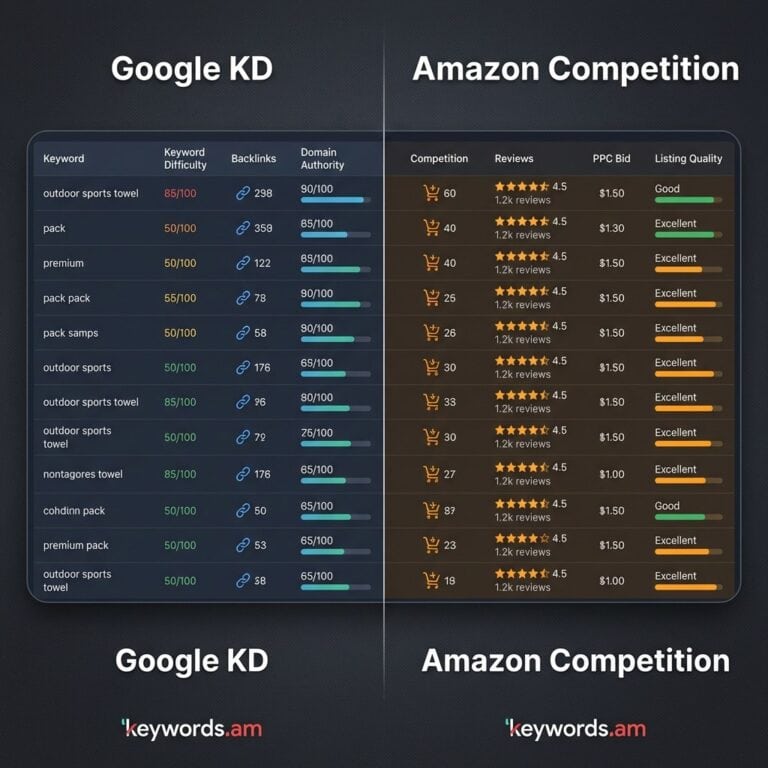
A “medium difficulty” score for “garlic press” means one thing to a brand doing 500 orders a day and something completely different to a new seller on day one. The score is the same. The reality isn’t. That’s the core split between Amazon SEO and Google SEO, and it’s why sellers keep getting burned by imported scoring models.
What are the 5 real signals of Amazon keyword competition?
Real Amazon keyword competition shows up in five product-level signals you can inspect on page one of the search results. None of them is a single number, but together they tell you what you’re up against.
- Sales velocity of page one products. Best Seller Rank (BSR) of the top 10 tells you the entry barrier. Top listings moving tens of thousands of units per month need far more capital and momentum to displace than ones averaging a few hundred.
- Review moats. Average review count on page one signals the social-proof gap. Overtaking a set of listings with 5,000+ reviews takes time, a better product, and usually significant early spend.
- PPC bid density. Amazon’s suggested bids are the closest thing to a live competition proxy. A term with a $0.50 suggested bid tells a different story than one at $5.00.
- Listing quality gaps. Audit the top 10 for keyword-stuffed titles, missing bullets, weak main images, and thin A+ content. Every gap is an opening. Reverse ASIN lookup and competitor analysis make gap-hunting systematic.
- Brand dominance. Count how many top 10 slots belong to Amazon Basics, category leaders, or private label giants. Seven or more major brands on page one usually means you should find a niche angle instead of a head-on fight.
The thresholds below are rough benchmarks based on our own audits of category data, not published Amazon figures. Treat them as directional.
| Signal | What It Measures | How to Evaluate | Lower Competition | Higher Competition |
|---|---|---|---|---|
| Sales velocity | Entry barrier | Check BSR of top 10 | Top 10 avg under 1,000/mo | Top 10 avg over 10,000/mo |
| Review moats | Social proof gap | Count reviews on page 1 | Avg under 100 reviews | Avg over 2,000 reviews |
| PPC bid density | Advertiser demand | Check suggested bid | Under $1.00 suggested | Over $3.00 suggested |
| Listing quality | Optimization gaps | Audit top 10 titles/images | Poor titles, few images | Fully optimized listings |
| Brand dominance | Market concentration | Count major brands | Mostly independents | 7+ major brands in top 10 |
How do Amazon keyword tools calculate difficulty scores?
Different tools use different formulas, and none of them use Amazon’s actual ranking inputs (because Amazon doesn’t publish them). Below are three widely used approaches sellers encounter, and what each one actually measures.
Helium 10 Cerebro IQ Score divides search volume by the number of competing products. Higher IQ means fewer products per search. It’s a decent first-pass filter for high-volume, lower-supply terms, but it doesn’t consider whether your listing (with, say, 12 reviews) can beat a listing with 4,000 on the same keyword. Sales history, conversion rate, and listing quality don’t enter the formula.
Jungle Scout Opportunity Score blends search volume with the average review count and listing quality of top results. Because it pulls in review moats and quality, it maps more closely to two of the real signals covered above. Their Opportunity Score explainer walks through the inputs. Other tools such as SellerApp, Seodity, and KeySearch offer similar variants, some more Amazon-native than others.
Keywords.am KPS (Priority Score) flips the question. Instead of “how hard is this keyword in the abstract?” KPS asks “if I add this keyword to this listing, how much does it move the needle?” KPS scores keywords 0-100 based on listing impact potential. The same keyword can score 85 on one ASIN and 30 on another, because relevance and coverage differ per product.
Bottom line: these are opportunity signals, not difficulty metrics. Read the methodology before trusting the number. A score that ignores review moats and listing quality is telling you something, but not what it claims to.
How does the TFSD framework replace difficulty scores with placement strategy?
The TFSD framework asks a more useful question than “how hard is this keyword?” It asks “where should this keyword live inside the listing?” Title, Features (bullets), Search Terms (backend), or Description.
Placement matters because Amazon weights these fields differently. Title carries the most ranking weight, followed by bullets, then backend search terms, then description. If a keyword isn’t in the listing anywhere, adding it can produce a bigger lift than fighting for a marginal rank improvement on a term you already cover.
Here’s a concrete case. A tool flags “stainless steel water bottle” as high difficulty and most sellers scroll past. But if that phrase isn’t in the product title, the bullets, or the backend fields, simply adding it to backend search terms is a thirty-second job with real upside. The score said “hard.” The reality was “unclaimed.”
The right question isn’t “can I rank number one for this?” It’s “have I placed this keyword where it can do work, and if not, where does it fit?” The TFSD framework guide walks through the placement logic, and our keyword research methodology shows how to layer competition signals on top.
What’s the keyword pursuit decision matrix?
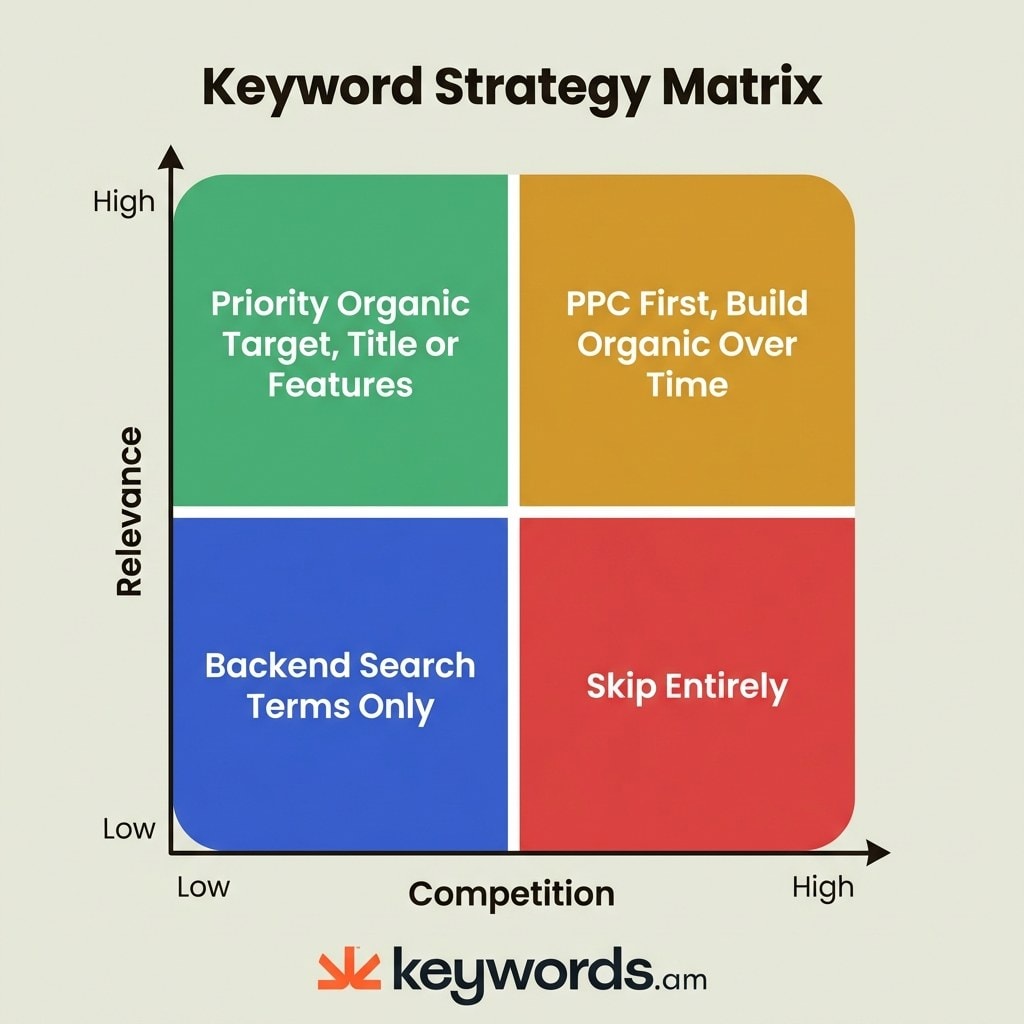
Plot each keyword on two axes: how relevant it is to your product, and how intense the competition is (based on the five signals). The quadrant tells you what to do.
- Q1: High relevance + low competition. Priority organic targets. Place them in the Title or bullets. These are the fastest movers with the least ongoing investment. Most sellers overlook them because they’re chasing volume.
- Q2: High relevance + high competition. Two-phase play. Bid aggressively via Amazon PPC to generate initial sales, which build velocity, which improves organic rank, which reduces PPC dependency over time. This only works if the keyword genuinely describes the product.
- Q3: Low relevance + low competition. Backend search terms only. Grab the long-tail traffic without cluttering visible copy.
- Q4: Low relevance + high competition. Skip. A protein powder seller doesn’t need to bid on “kitchen appliances.” Put that budget on Q1 and Q2.
| Low Competition | High Competition | |
|---|---|---|
| High Relevance | Priority organic: Title or bullets | PPC first, organic over time |
| Low Relevance | Backend search terms only | Skip entirely |
Pair the matrix with a discipline of adding negative keywords in your PPC campaigns and you stop bleeding budget on Q4 terms that sneak in via broad match.
Frequently Asked Questions About Amazon Keyword Difficulty
Does Amazon publish an official keyword difficulty score?
No. Amazon doesn’t publish a keyword difficulty metric or the exact ranking weights it uses. Every “difficulty” number you see comes from a third-party tool’s proprietary formula, which is why two tools can give very different scores for the same term.
How often should I re-check keyword competition signals?
Re-audit the five signals every quarter for your core keywords, and any time a competitor launches a major listing change or promotion. Sales velocity, review counts, and suggested bids all drift, so a keyword that was Q1 six months ago may have moved to Q2 today.
Can I compete on a high-review-moat keyword without deep pockets?
Sometimes. If the top 10 have big review counts but weak listing quality (bad main images, thin bullets, missing A+ content), a polished listing can still gain ground. The moat matters most when top competitors are both well-reviewed and well-optimized.
How does listing conversion rate affect keyword difficulty?
A lot. Amazon rewards listings that convert traffic into sales, so a higher conversion rate makes you effectively “less blocked” by review counts and BSR. Two listings with identical PPC spend but different conversion rates will end up ranking very differently.
Does KPS replace tools like Helium 10 or Jungle Scout?
Not exactly. Volume-based tools are useful for discovery and market sizing. KPS is useful when you already have an ASIN and want to know which keywords will actually move that listing. Many sellers use both, discovery upstream and product-relative scoring downstream.
Conclusion
- Amazon has no native difficulty score, and importing Google’s model produces misleading numbers.
- Five signals describe real competition: sales velocity, review moats, PPC bids, listing quality, and brand dominance.
- Tool scores are opportunity proxies, not difficulty metrics. Read the methodology before trusting the number.
- TFSD placement often beats ranking effort. Uncovered keywords are usually the fastest wins.
- The decision matrix turns every keyword into an action: organic, PPC, backend-only, or skip.
Pick five keywords you’ve been avoiding as “too competitive.” Run each one through the five signals and place it in a quadrant. Odds are at least one belongs in Q1 for a listing you own, and you’ve been ignoring free rank. Run your first ASIN through the free Amazon keyword tool and get your KPS scores in under a minute, or start a Keywords.am annual plan if you’re ready to score every keyword against every listing you manage.