

📑 Table of Contents
- What Are Amazon Long Tail Keywords and How Are They Different From Google?
- Why Do Long-Tail Keywords Convert 2-3x Better on Amazon?
- How Do You Find Amazon Long Tail Keywords? (5 Proven Methods)
- How Do You Evaluate Which Amazon Long Tail Keywords to Target?
- Where Should You Place Long-Tail Keywords in Your Amazon Listing?
- How Do Long-Tail Keywords Lower Amazon PPC Costs?
- Frequently Asked Questions About Amazon Long Tail Keywords
- Conclusion
⚡ TL;DR
- Amazon long tail keywords are specific phrases of four to eight words showing high purchase intent.
- These specific phrases drive conversion rates two to three times higher than generic head terms.
- Top sellers find these keywords through Amazon autocomplete mining, PPC search term reports, reverse ASIN lookups, Brand Analytics, and AI generation tools.
- Prioritizing keywords requires evaluating relevance to the product, verifying search demand signals, and assessing competition.
- Maximum listing impact comes from placing the highest-priority long-tail keywords in the product title, followed by bullets and backend search terms.
- Targeting specific phrases through exact match in PPC campaigns cuts ACOS by 30-50 percent.
A single broad keyword like “phone mount” gets 300,000+ monthly searches on Amazon. But the seller ranking first for that term likely gets more total sales from the 200+ long-tail variations around it. Most sellers optimize for a handful of head terms and ignore the Amazon long tail keywords that actually drive conversions. Long-tail queries make up approximately 70-80% of total search volume across e-commerce platforms.
What follows is a breakdown of what long-tail keywords mean on Amazon, why they outperform head terms, five ways to dig them up, and where to slot them across a listing. Most SEO advice gets recycled from Google playbooks and doesn’t account for how Amazon’s search engine actually works. This piece stays focused on purchase intent signals, A10 algorithm indexing, and PPC bid efficiency. To keep things concrete, picture a “magnetic phone mount for car” as the product. Starting from that head term, a seller quickly uncovers phrases like “magnetic phone mount for car vent MagSafe compatible” or “phone mount for car dashboard magnetic strong hold.”
What Are Amazon Long Tail Keywords and How Are They Different From Google?
Amazon long tail keywords are specific multi-word search phrases with lower volume but higher purchase intent, typically 4-8 words that describe exactly what a shopper wants to buy.
Think of it this way. “Phone mount” is a head term — short, generic, and it could mean anything from a motorcycle grip to a desk stand. Now compare that to “magnetic phone mount for car vent MagSafe compatible.” That’s a long-tail: four to eight words, low individual search volume, but it paints a picture of exactly what the buyer wants.
The Amazon keyword research methodology helps highlight the difference between Google and Amazon search behavior. On Google, “best phone mount” means research. On Amazon, every search is a buying search. The long-tail narrows what they want to buy. Amazon long-tails signal purchase intent, not informational browsing.
Here’s where it gets interesting from a volume standpoint. The top 100 keywords in most product categories only account for about 20 percent of total search traffic. The other 80 percent? That’s thousands of long-tail variations — and that’s where the conversions happen.
|
Factor |
Head Term (“phone mount”) |
Long-Tail (“magnetic phone mount for car vent MagSafe”) |
|---|---|---|
|
Monthly searches |
300,000+ |
2,000-8,000 |
|
Competition |
Extreme (500+ sellers) |
Moderate (50-100 sellers) |
|
Conversion rate |
8-12% |
18-25% |
|
PPC cost per click |
$1.50-3.00 |
$0.40-0.80 |
|
Buyer intent |
Browsing |
Ready to purchase |
Table: Hypothetical but representative data comparing head terms and long-tail keywords on Amazon.
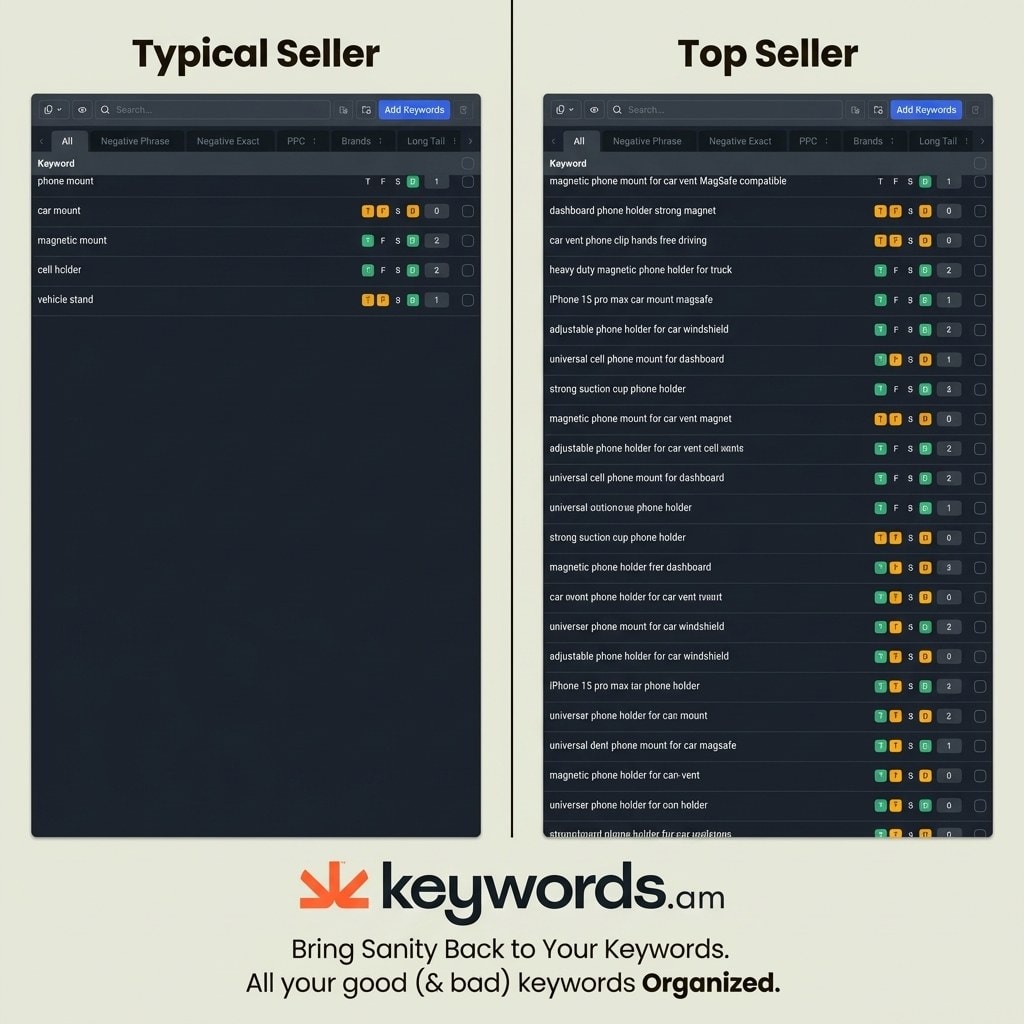
Understanding what long-tails are raises the obvious question. Just how much better do they actually perform on Amazon?
Why Do Long-Tail Keywords Convert 2-3x Better on Amazon?
Long-tail keywords convert 2-3x higher on Amazon because every Amazon search carries purchase intent, and longer phrases signal a shopper who already knows exactly what they want.
The numbers tell the story: long-tails typically convert at 18-25%, while head terms sit around 8-12%. When somebody types six or more words into that Amazon search bar, they’ve already made up their mind on what they need. They’re comparing options, not window shopping.
There’s a PPC angle here too. Bidding on “phone mount” can cost $2 or more per click. Switch to “magnetic phone mount for car vent” and that drops to somewhere between $0.50 and $0.80, with a better conversion rate on top. That’s 50-70% less spend per click, according to quarterly Amazon PPC benchmark data.
And there’s less competition to deal with. A brand-new listing can break into page one for a specific long-tail phrase in a matter of weeks. Try doing that for a head term — it’ll take months of stacking reviews and sales velocity before there’s any movement.
One thing many sellers overlook: Amazon’s A10 algorithm matches search queries to the actual phrases inside a listing. Pack more relevant long-tails into the listing, and there are more potential matches for buyer searches. It’s worth checking whether Amazon actually indexed those terms — keyword indexing verification catches gaps that would otherwise go unnoticed.
The data makes a clear case. The challenge is finding the right long-tails without spending hours in spreadsheets.
How Do You Find Amazon Long Tail Keywords? (5 Proven Methods)
The five most reliable methods are Amazon autocomplete mining, Search Term Reports from PPC, reverse ASIN lookups on competitors, Brand Analytics data, and AI-powered keyword generation tools.
Method 1: Amazon Autocomplete Mining
Open Amazon, type a seed keyword, and pay attention to what the search bar suggests. Here’s the trick: after typing “magnetic phone mount,” add the letter “a” and note the suggestions. Then “b.” Then “c.” Keep going through the alphabet. Each letter pulls up a different set of long-tail phrases that real shoppers search for. It’s a solid free Amazon keyword research method — it just takes 30-60 minutes per seed keyword, which adds up fast across a catalog.
Method 2: Search Term Reports (PPC Campaigns)
Anyone running ads already has a gold mine sitting in Seller Central. Pull up Advertising, then Reports, and download the Search Term Report. It shows the exact queries people typed before they clicked — not guesses, not estimates, but real Amazon long tail keywords with actual conversion numbers attached. The catch? It’s only available if there are active PPC campaigns running.
Method 3: Reverse ASIN Lookup on Competitors
Analyze competitor listings to discover their indexed keywords. Reverse ASIN tools pull the keywords a competitor ranks for. Filter the results for phrases of four or more words to isolate long-tails. Checking the top three competitors will typically surface 200 to 500 long-tail variations.
Method 4: Brand Analytics Search Query Performance
If the brand is enrolled in Brand Analytics, there’s access to Amazon’s own first-party search data. It’s only available to Brand Registered sellers, but the upside is real search frequency numbers and click share percentages — not estimates. Sorting by search frequency rank surfaces long-tails that have actual verified demand behind them.
Method 5: AI-Powered Long-Tail Generation
This is where things get interesting. AI tools can take a single seed keyword and spin out dozens of brand-free shopper phrases — the kind of specific, attribute-rich queries real buyers actually type. IntentIQ, for instance, generates these variations in seconds without including competitor brand names. The output focuses on product attributes and use cases, and it’s available through Keywords.am’s free Amazon keyword tool.
Finding long-tails is half the battle. The next step is figuring out which ones are actually worth targeting.
How Do You Evaluate Which Amazon Long Tail Keywords to Target?
Evaluate long-tail keywords on three criteria: relevance to the product, search demand signals, and competition level, then score them to prioritize the highest-impact terms first.
Does the keyword describe the product accurately? A “magnetic phone mount for car vent MagSafe compatible” is only worth targeting if the product actually has MagSafe compatibility. Irrelevant long-tails waste indexing space and tank conversion rates.
Look for keywords with verified search history. Some long-tails look great on paper but have zero actual search volume. Use Brand Analytics search frequency rank or keyword tools to verify demand exists.
Check how many strong listings already rank for the term. Amazon keyword difficulty determines how much effort is required to rank.
Scoring systems like KPS scoring from Keywords.am rank keywords on listing impact potential. It boils relevance, demand, and competition into a single 0-100 number, which takes a lot of the guesswork out of deciding what goes in the listing first.
There’s one more filter that trips up a lot of sellers: intent match. If somebody types “phone mount for truck dashboard heavy duty” but the product is actually a lightweight clip-on model, that keyword isn’t worth chasing. Doesn’t matter if it has decent volume — the conversion rate will tank because the listing doesn’t deliver what the search promised.
Once the keyword list is prioritized, the final step is placing them strategically across listing fields.
Where Should You Place Long-Tail Keywords in Your Amazon Listing?
Place the highest-priority long-tail keywords in the title, secondary ones in bullet points, and remaining variations in backend search terms where they still get indexed without cluttering visible content.
Amazon gives title keywords the most ranking weight. Put the one or two most important long-tail phrases here. Front-load the primary long-tail. An example: “Magnetic Phone Mount for Car Vent, MagSafe Compatible, Strong Hold, Dashboard & Windshield.”
Bullet points are the next tier. Work three to five long-tail variations into them, but keep it natural — each bullet should describe a real feature or benefit that happens to contain the target phrase. If it reads like a keyword list instead of a product description, the listing won’t convert even if it ranks.
Fill backend search terms with only missing keywords. The backend allows 249 bytes. Do not repeat keywords already present in the title or bullets. The nice part is that Amazon indexes across title, bullets, and backend together — so anything already covered in the title doesn’t need repeating here. For the exact byte rules and what Amazon ignores, there’s a detailed breakdown in the Amazon backend keywords guide. Tools like Swiss Army Knife automate this by filling backend fields with only the terms that aren’t covered elsewhere.
Don’t forget A+ content. Amazon started indexing A+ text modules, which means there’s extra real estate for long-tail variations. Module headers and body text both count, so work in phrases that didn’t make it into the title or bullets.
|
Listing Field |
Ranking Weight |
Long-Tail Priority |
Example |
|---|---|---|---|
|
Title |
Highest |
Top 1-2 primary long-tails |
“Magnetic Phone Mount for Car Vent MagSafe Compatible” |
|
Bullet Points |
High |
3-5 secondary long-tails |
“strong magnetic hold keeps phone secure on bumpy roads” |
|
Backend Search Terms |
Medium |
Remaining unused keywords |
Variations not already in title/bullets |
|
A+ Content |
Lower |
Semantic long-tail variations |
“designed for hands-free GPS navigation while driving” |
|
Product Description |
Lower |
Supporting long-tails |
Feature descriptions with natural keyword integration |

One way to avoid guessing: the TFSD Framework shows coverage indicators across title, features, search terms, and description in real-time. Instead of toggling between spreadsheets, sellers can spot gaps at a glance and fill them before publishing.
Beyond organic placement, Amazon long tail keywords transform Amazon PPC keyword strategy efficiency.
How Do Long-Tail Keywords Lower Amazon PPC Costs?
Long-tail keywords lower Amazon PPC costs by reducing cost-per-click through less competition and increasing conversion rates through higher intent match, cutting ACOS by 30-50% compared to head terms.
One approach that works well: create single keyword ad groups built around one exact-match long-tail each. That way, the ad only fires for that specific phrase, and every click coming through has a high chance of converting.
Here’s the contrast. Run broad match on “phone mount” and the campaign starts showing ads for “phone mount for motorcycle” — which is useless if the product is a car vent mount. Run exact match on “magnetic phone mount for car vent” and the ad only triggers when someone types that specific query.
Let’s run the math on a $25 product. A head term costs $2.00 per click with a 10% conversion rate — that’s an 80% ACOS, which means most of the revenue goes right back to Amazon ads. Now take a long-tail at $0.60 per click with a 22% conversion rate. Same product, but now the ACOS drops to 11%. That gap is where profit lives.
Negative keywords complement any Amazon long tail keyword strategy. Use Amazon negative keywords to block irrelevant broad match traffic while exact match long-tails handle the targeted traffic.
With the strategy clear, avoid these common mistakes that undermine long-tail keyword efforts.
How Do You Track Long-Tail Keyword Performance on Amazon?
Track long-tail keyword performance by monitoring organic rank weekly, cross-referencing PPC search term reports monthly, and using Brand Analytics impression share data to detect keyword decay before it hits revenue.
Most sellers invest time identifying long-tail keywords and never verify whether those terms are actually driving results. That’s a significant blind spot. Amazon’s algorithm is dynamic — a long-tail that ranked on page one three months ago may have quietly slipped to page three without any Seller Central notification.
Step 1: Establish a keyword position baseline
Immediately after updating a listing with prioritized long-tails, record the organic position for the top 10-15 target terms. Search each phrase from a private browser window (to avoid personalization effects) or use Brand Analytics Search Query Performance to capture click share and purchase share percentages. This snapshot becomes the reference point for all future comparisons.
Step 2: Monitor SQP impression share monthly
Brand Analytics Search Query Performance shows how impression share trends over time on specific queries. A declining share — even before revenue drops — is an early warning that competitors are gaining ground. If a product held 14% impression share on a core long-tail and that figure drops to 8% over 30 days, organic position is almost certainly slipping. The Brand Analytics SQP guide walks through exactly how to interpret these signals before they become revenue problems.
Step 3: Use PPC search term reports as organic proxies
For sellers without dedicated rank tracking tools, PPC data provides a reliable indirect signal. When an exact-match long-tail campaign starts requiring significantly higher bids to maintain the same ad placement, competitors have likely improved their relevance for that term. Cross-reference with a manual rank check to confirm whether organic position has moved.
Step 4: Run quarterly indexing verification
Backend search terms can silently lose indexing after listing edits, algorithm changes, or if terms get added to restricted keyword lists. Verifying that the long-tail keywords in a listing are still indexed is not a one-time task — it’s a quarterly audit. The Amazon keyword indexing guide provides a step-by-step verification process. If keyword rankings do start declining and sessions follow, the full diagnostic for Amazon sales dropping provides a structured recovery path tied to specific root causes.
Long-tail tracking is only half of the visibility equation. The other half is visual: the text overlays on infographic images should reinforce the same terms from the keyword list. Sellers who connect image content to keyword research — detailed in the Amazon product image optimization guide — create layered relevance signals that outlast competitors who optimize in silos.
Frequently Asked Questions About Amazon Long Tail Keywords
These are the most common questions Amazon sellers ask about long-tail keyword strategy and implementation.
Conclusion
Here’s what this all comes back to: sellers who build their keyword strategy around specific buyer phrases outperform those chasing a handful of head terms.
- Long-tails convert two to three times better because every Amazon search has money behind it.
- Five methods exist to find them, and combining autocomplete mining with AI generation covers the most ground in the least time.
- Putting those keywords in the right listing fields — title first, then bullets, then backend — gets them indexed where they count.
- On the PPC side, exact match campaigns on long-tails drop ACOS to levels that broad match can’t touch.
Open the Amazon search bar, type your main product keyword, and write down every autocomplete suggestion. That 10-minute exercise will surface 20-30 long-tail keywords to start with.
For sellers who want to skip the manual work, Keywords.am’s IntentIQ generates hundreds of brand-free long-tail variations automatically. Try the free Amazon keyword tool to expand your listing’s reach today.




