Listing Optimization
The best Amazon Brand Store optimization strategy for Google rankings (that most sellers miss)
Learn the Amazon Brand Store optimization playbook for Google rankings. Covers keyword research, page naming, mobile layout, and performance tracking.

You’ve optimized every listing. You’ve keyword-researched every title. But your Brand Store (the single page Google actually indexes with your brand name) still says “Shop All” and “New Arrivals.” That’s a real Amazon Brand Store optimization gap, and it’s leaving revenue on the table.
Most sellers treat Brand Stores as pure design projects. They pick lifestyle images, arrange products attractively, and hope shoppers browse. Almost no one applies keyword strategy to page names, category titles, or product groupings. Even Amazon’s own best practices guide focuses on visual layout and branding while skipping search optimization entirely.
This 2026 guide covers the keyword research methodology, page-name choices that rank on Google, category structures that fit Amazon search, and the tracking to prove it worked. The framework runs on a 5-point checklist built to capture organic search traffic.
Why does your Amazon Brand Store matter more than you think?
Google indexes Brand Store pages individually. Each page title becomes a separate Google search result, which most sellers assume only product detail pages can achieve. A well-structured store page with a targeted title works as a dedicated landing page in Google search, capturing external traffic that competitors leave on the floor.
Brand Stores also serve as the primary landing page for Sponsored Brand ads. Sending paid traffic to a confusing storefront guarantees fast bounces. Sellers investing in Amazon listing optimization often forget that the destination of their top-of-funnel ads matters just as much as the ad itself.
Mobile shoppers browse stores directly. Amazon’s mobile share of visits is high (estimates vary by source, and Statista’s Amazon topic hub tracks the latest figures). Small screens demand clear category names, large tap targets, and single-column flows.
Brand Analytics also gives store-level search data showing what shoppers search within a brand. That internal data is a literal roadmap for structuring navigation. Knowing your store matters isn’t enough, though. The real opportunity sits in a place most guides ignore: keywords.
What is the hidden keyword opportunity in Amazon Brand Stores?
Brand Store page names, category titles, and product groupings all get indexed by Google, which creates keyword placement opportunities most sellers waste on generic labels.
Store page names appear directly as Google search results. A page named “Shop All” competes for zero search volume. A page named “Professional Watercolor Brushes” competes for high-intent queries. Page names function like H1 tags for search crawlers, so descriptive titles win clicks from shoppers searching on Google.
Category and subcategory titles show up in breadcrumbs, which creates another indexing surface. Clear, keyword-rich breadcrumbs tell Google what the page contains and how it fits into the site’s architecture. They reinforce the page’s primary topic naturally without keyword stuffing.
Product grouping by keyword theme captures different search intents. Grouping by use case beats grouping by internal product lines every time. A supplement brand should organize by “Recovery Supplements” or “Daily Energy” rather than “Line A” or “Line B.” Shoppers search for solutions, not catalog designations.
Store search bar queries reveal what shoppers want from a specific brand. If thousands of users search for a term inside the store, that term deserves its own page. Tracking Brand Analytics search query performance surfaces those phrases and strips the guesswork out of store architecture.
How do you research keywords specifically for your Brand Store?
Brand Store keyword research starts with branded search queries from Brand Analytics, targets category-level keywords, and maps one primary keyword per store page.
Start with branded search queries. Brand Analytics shows what people search alongside a brand name, such as “[Brand] vitamins,” “[Brand] for kids,” or “[Brand] bundles.” Make those phrases your page names, since shoppers already associate the brand with those categories.
Target category-level keywords rather than product-level terms. Page names need broader language to cover multiple items. “Vitamin D3 5000 IU softgels” is a product keyword. “Vitamin D Supplements” is a category keyword. Broad category terms capture top-of-funnel traffic from shoppers still exploring, and product terms belong on individual detail pages.
Research Google search intent for brand-plus-category queries. Check “People Also Ask” boxes and related searches at the bottom of results. This external data validates whether category terms have real demand outside Amazon.
Map keywords to store pages systematically. Assign one primary keyword per page, and let product tiles reinforce that theme with supporting terms. An “Organic Skincare” page should feature tiles highlighting “vegan face wash” or “natural moisturizers.” Tools like our free Amazon keyword tool, the broader keyword research methodology guide, and a dedicated Helium 10 keyword tracker alternative for rank tracking without a full suite speed up this step.
What’s on the 5-point Amazon Brand Store optimization checklist?
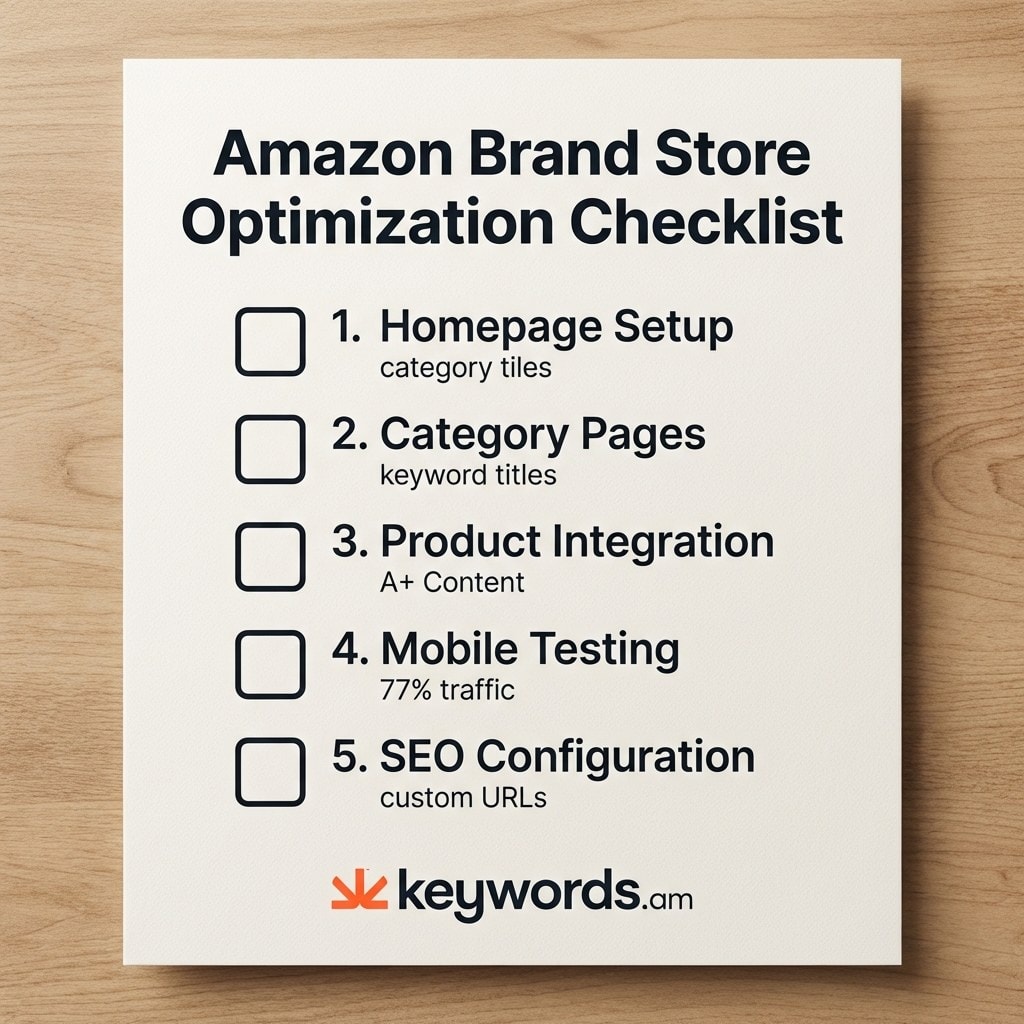
A fully optimized Brand Store needs keyword-rich page titles, search-intent product grouping, mobile-first layouts, and custom URLs with target keywords. This checklist covers the five critical areas.
- Homepage setup. Hero images should communicate a clear value proposition. Below the hero, place three to four category tiles with keyword-rich labels, since Google indexes those labels. Add a bestsellers section to convert high-intent visitors.
- Category pages. Every page needs a keyword-optimized title. Group products by search intent rather than SKU numbers. “Organic Vitamin D Supplements” outperforms “Category 1.” Use comparison layouts to help shoppers decide without leaving the store.
- Product detail integration. Embed A+ Content previews inside store pages. Place customer reviews next to high-ticket items. Add cross-sell tiles at the bottom of category pages to lift average order value.
- Mobile optimization. Mobile is a large slice of Amazon traffic (estimates vary by source). Test every page on a mobile device before publishing. Use single-column layouts, large tap targets, and text that reads without zoom.
- SEO setup. Amazon Store Builder allows custom page URLs, so pack them with primary keywords. Create internal linking between store pages with descriptive text and image tiles. That builds a clear hierarchy for search crawlers.
| Store Element | Generic (Before) | Optimized (After) | Why It Matters |
|---|---|---|---|
| Homepage tile | ”Shop All" | "Professional Watercolor Brushes” | Google indexes tile labels |
| Category page | ”Category 1" | "Vitamin D3 Supplements for Adults” | Appears in breadcrumbs |
| Custom URL | /stores/brand/page/1 | /stores/brand/vitamin-d-supplements | Keyword in URL helps ranking |
| Product grouping | By SKU number | By use case (Recovery, Daily, Sports) | Captures different search intents |
How do you measure Amazon Brand Store performance?
Amazon Store Insights tracks page views, daily visitors, sales attribution, and time on page. Those metrics show which keyword-optimized pages drive conversions and traffic.
Check Store Insights weekly. Without hard data, storefront changes are guesses. Connect keyword changes directly to traffic shifts by renaming one page, tracking the data for two weeks, then comparing to the previous period. A successful keyword change usually shows an immediate lift in daily visitors.
Google Search Console adds an external view. Verifying an Amazon store URL in Google Search Console reveals impressions for store pages. Most sellers don’t realize they can track Amazon stores in GSC, and the query data feeds future page-name iterations.
Refresh keyword mapping quarterly, since search intent shifts across the year. Watch how store data lines up with product-level metrics like conversion rate and campaign performance in PPC optimization.
| Metric | What It Tells You | Action Trigger |
|---|---|---|
| Page views | Which pages attract traffic | Low views = weak keyword or poor placement |
| Daily visitors | Overall store health trend | Declining = refresh content or keywords |
| Sales per visitor | Conversion effectiveness | Low ratio = product-page mismatch |
| Time on page | Content engagement quality | Under 15 seconds = page isn’t delivering value |
Frequently Asked Questions About Amazon Brand Store Optimization
Do I need Brand Registry for a Brand Store?
Yes. Amazon Brand Registry enrollment is required to create and manage a Brand Store, and enrollment requires an active registered trademark. Brand Registry also opens up A+ Content, Sponsored Brand ads, and Brand Analytics, all of which complement storefront optimization.
Does my Brand Store affect my product rankings?
Brand Stores don’t directly influence individual product rankings in Amazon search. They do create additional indexed pages on Google and serve as high-converting landing pages for Sponsored Brand ads. Over time, branded searches and repeat purchases from the store signal relevance to Amazon’s algorithm.
How often should I update my Brand Store?
Update the store at least quarterly to refresh keyword-optimized page names, seasonal groupings, and promotional content. Amazon tends to reward updated stores with stronger placement in brand search, and stale promotions erode shopper trust.
Can I A/B test my Brand Store?
Yes. Amazon offers Brand Store A/B testing through the Manage Your Experiments tool. Test one variable at a time. Page title keywords are a strong first test since they affect both Amazon and Google visibility.
How is Brand Store SEO different from listing SEO?
Store SEO leans on category-level keywords, page names, and URL structure that Google can index. Listing SEO focuses on titles, bullets, and backend fields Amazon uses internally. Read the Amazon SEO vs Google SEO breakdown for a full comparison.
Conclusion
Treating an Amazon Brand Store strictly as a design exercise ignores its single most powerful capability.
- Google indexing is the biggest missed opportunity. Individual store pages can rank externally.
- Store keyword strategy uses category-level terms, not product-level listing keywords.
- The 5-point checklist covers homepage tiles, category naming, mobile layout, A+ integration, and URL setup.
- Store Insights ties keyword decisions to real revenue and traffic shifts.
- Quarterly refreshes keep the storefront aligned with shifting search intent.
Open your Brand Store right now and check the page names. If any say “Shop All,” “New Arrivals,” or “Category 1,” you just found your first Amazon Brand Store optimization opportunity. Small changes to those titles produce immediate visibility gains.
Gathering the right data is the hardest part. Start with the free Amazon keyword tool to pull category-level search phrases, or grab a Keywords.am annual plan for full Brand Analytics integration. Then apply the same keyword precision to product title optimization so the whole catalog stays consistent.